Difference between revisions of "Subcontract Management"
Jump to navigation
Jump to search
Siyuan wei (talk | contribs) (Created page with "== Introduction == === Objective: === establish a basic work flow demonstration of subcontract management. === Step-by-step How To: === ==== 1. Generate a Subcontract:==== ==...") |
Siyuan wei (talk | contribs) |
||
| Line 5: | Line 5: | ||
=== Step-by-step How To: === | === Step-by-step How To: === | ||
==== 1. Generate a Subcontract:==== | ==== 1. Generate a Subcontract:==== | ||
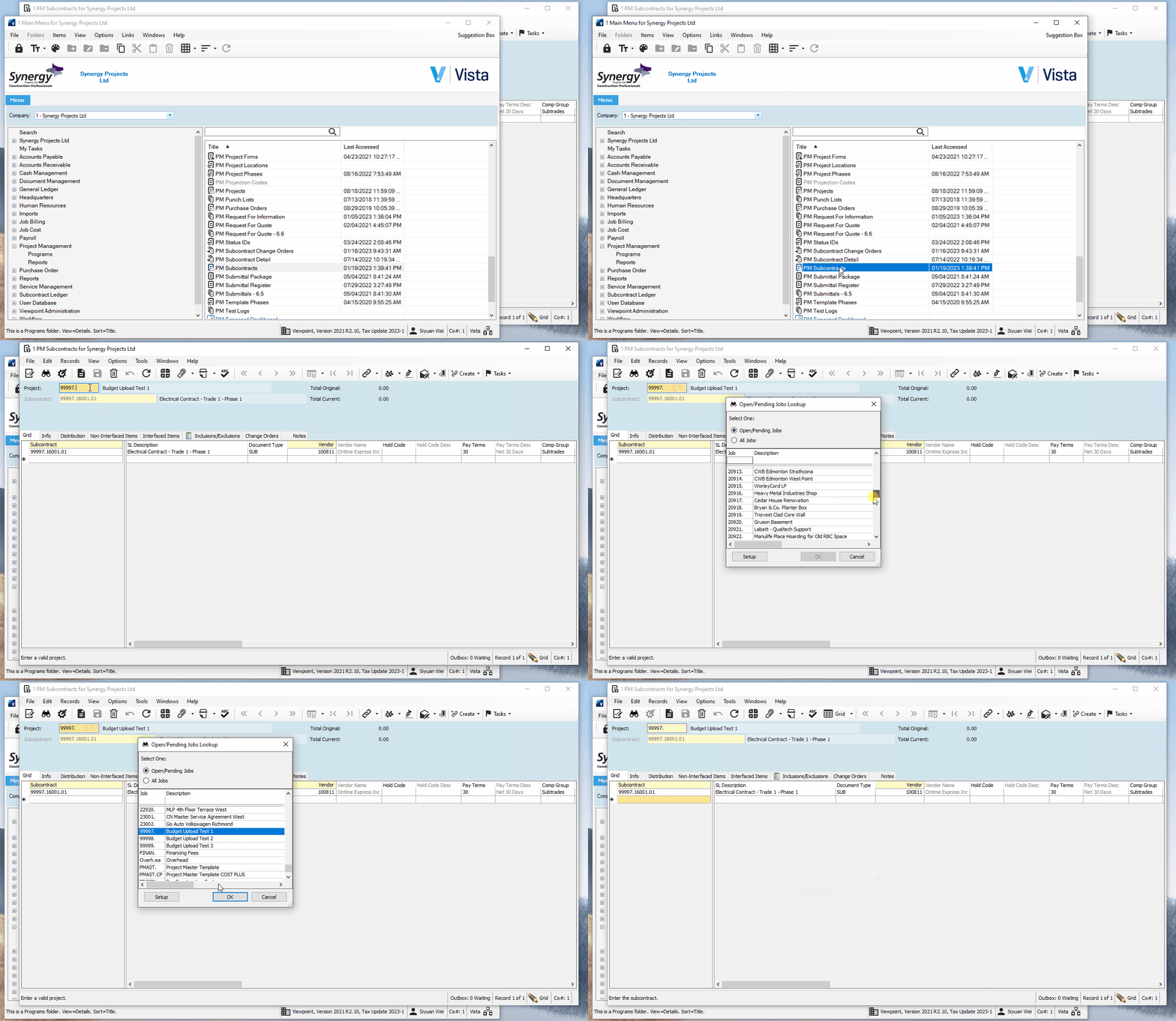
| + | To generate a new subcontract, go to PM Subcontracts, then select the project you want to add the new subcontract to.<br> | ||
| + | [[File:PM Subcontracts - Select Project.gif|frame|center|pm subcontracts - select project]] | ||
| + | <br> | ||
| + | |||
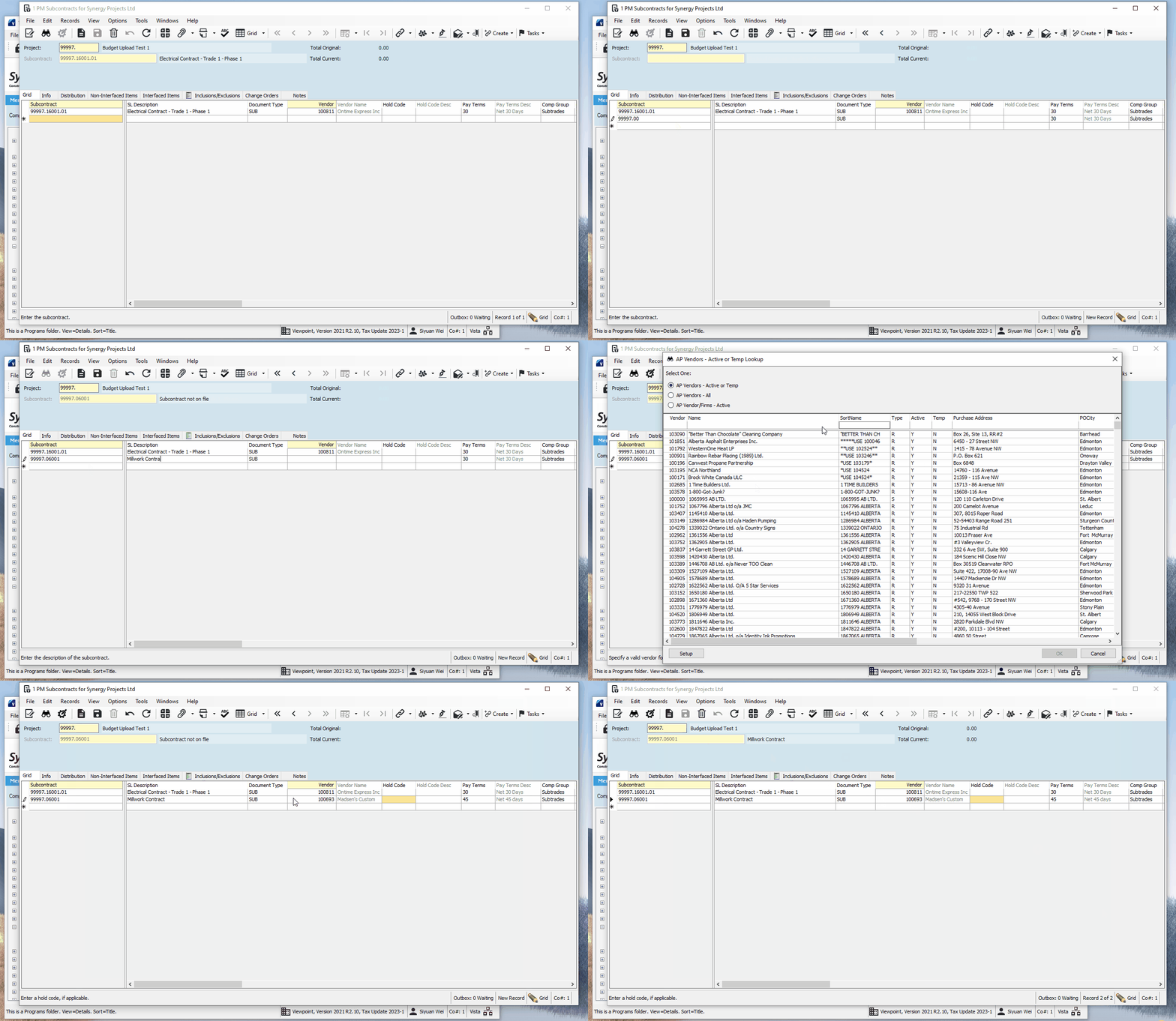
| + | Then initiate a new subcontract line, typically you can keep the subcontract number in the format of (project number).(cost code).(if any multi phase/component). Then select the trade company.<br> | ||
| + | [[File:PM Subcontracts - Initiate a new line.gif|frame|center|pm subcontracts - initiate a new line]] | ||
| + | <br> | ||
| + | |||
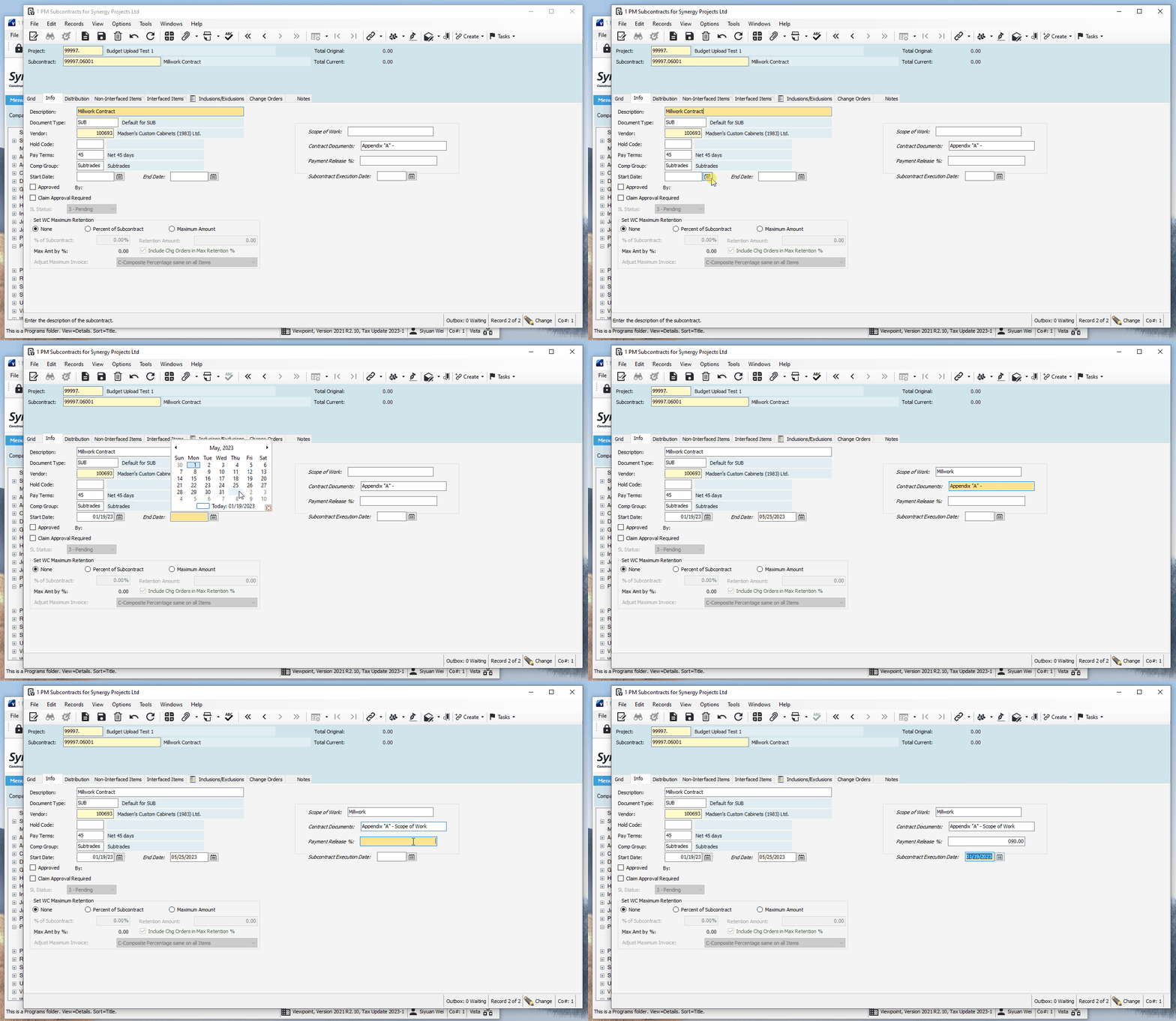
| + | Once a new line is initiated, go to the "Info" tab, and fill in all the required information. The working of the "Scope of Work" field will depend on the template your are using, best to check a subcontract your peer has done. | ||
| + | [[File:PM Subcontracts - fill in the info.gif|frame|center|PM Subcontracts - fill in the info]] | ||
| + | |||
==== 2. Approve the Subcontract and Interface: ==== | ==== 2. Approve the Subcontract and Interface: ==== | ||
==== 3. Generate a Subcontract Revision: ==== | ==== 3. Generate a Subcontract Revision: ==== | ||
==== 4. Approve the Revision and Interface: ==== | ==== 4. Approve the Revision and Interface: ==== | ||
Revision as of 00:08, 20 January 2023
Introduction
Objective:
establish a basic work flow demonstration of subcontract management.
Step-by-step How To:
1. Generate a Subcontract:
To generate a new subcontract, go to PM Subcontracts, then select the project you want to add the new subcontract to.

pm subcontracts - select project
Then initiate a new subcontract line, typically you can keep the subcontract number in the format of (project number).(cost code).(if any multi phase/component). Then select the trade company.

pm subcontracts - initiate a new line
Once a new line is initiated, go to the "Info" tab, and fill in all the required information. The working of the "Scope of Work" field will depend on the template your are using, best to check a subcontract your peer has done.

PM Subcontracts - fill in the info