Difference between revisions of "Generating Subcontract Using Template"
Jump to navigation
Jump to search
Siyuan wei (talk | contribs) |
Siyuan wei (talk | contribs) |
||
| (One intermediate revision by the same user not shown) | |||
| Line 9: | Line 9: | ||
==== 2. Any Appendices ==== | ==== 2. Any Appendices ==== | ||
| + | The Appendices typically will have at least the following 2 | ||
| + | * Appendix A - Scope and Contract Documents | ||
| + | * Appendix B - Quality Health Safety & Environmental Regulations | ||
| + | Refer to your local office admin for the documents used in your branch. | ||
Latest revision as of 18:38, 16 February 2023
Currently, subcontracts are being generated in 2 parts.
- the standard ACA template.
- any appendices.
The intent of this instruction is to show how to complete both parts so it is ready to be sent out.
1. Standard ACA Template
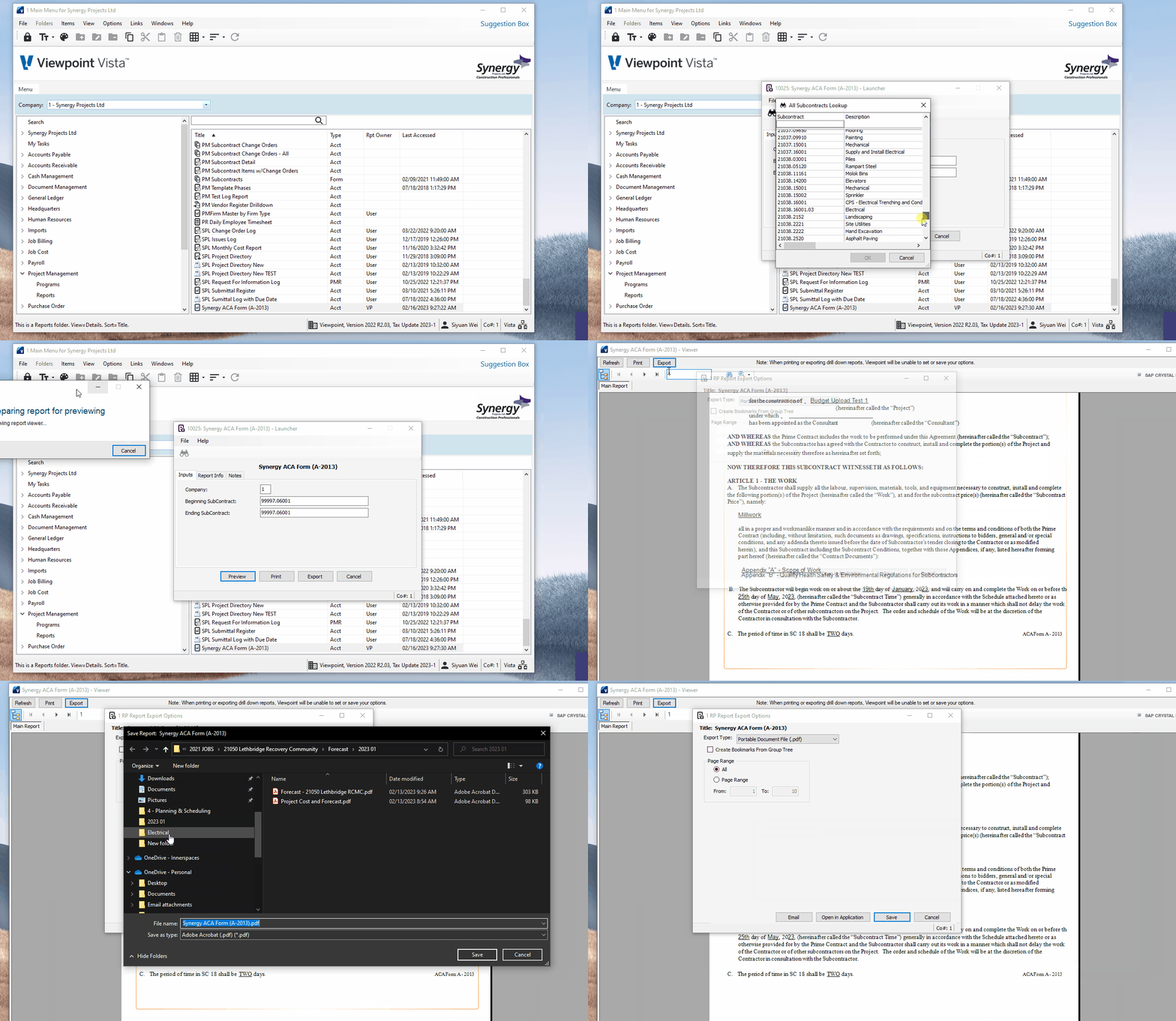
Go to "PM" -> "Report" and use "Synergy ACA Form (A-2013)" to generate ACA form, follow instructions in GIF below. use
F4
to bring out the menu for subcontract selection.

PM Subcontracts - ACA generate
2. Any Appendices
The Appendices typically will have at least the following 2
- Appendix A - Scope and Contract Documents
- Appendix B - Quality Health Safety & Environmental Regulations
Refer to your local office admin for the documents used in your branch.