Difference between revisions of "Quantity Tracking in Viewpoint"
Jump to navigation
Jump to search
Siyuan wei (talk | contribs) |
Siyuan wei (talk | contribs) |
||
| Line 2: | Line 2: | ||
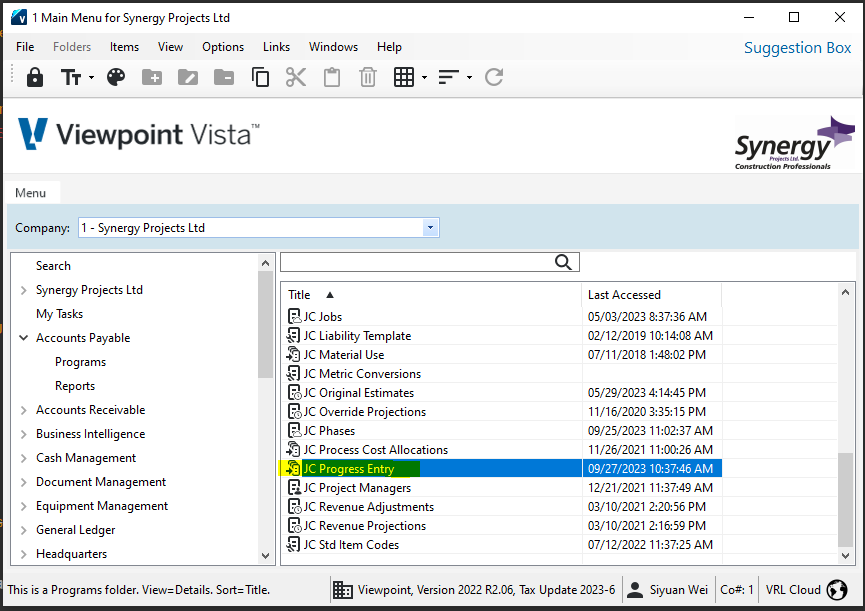
This can be completed in Viewpoint Using "JC - Progress Entry" module. You can locate this module here: | This can be completed in Viewpoint Using "JC - Progress Entry" module. You can locate this module here: | ||
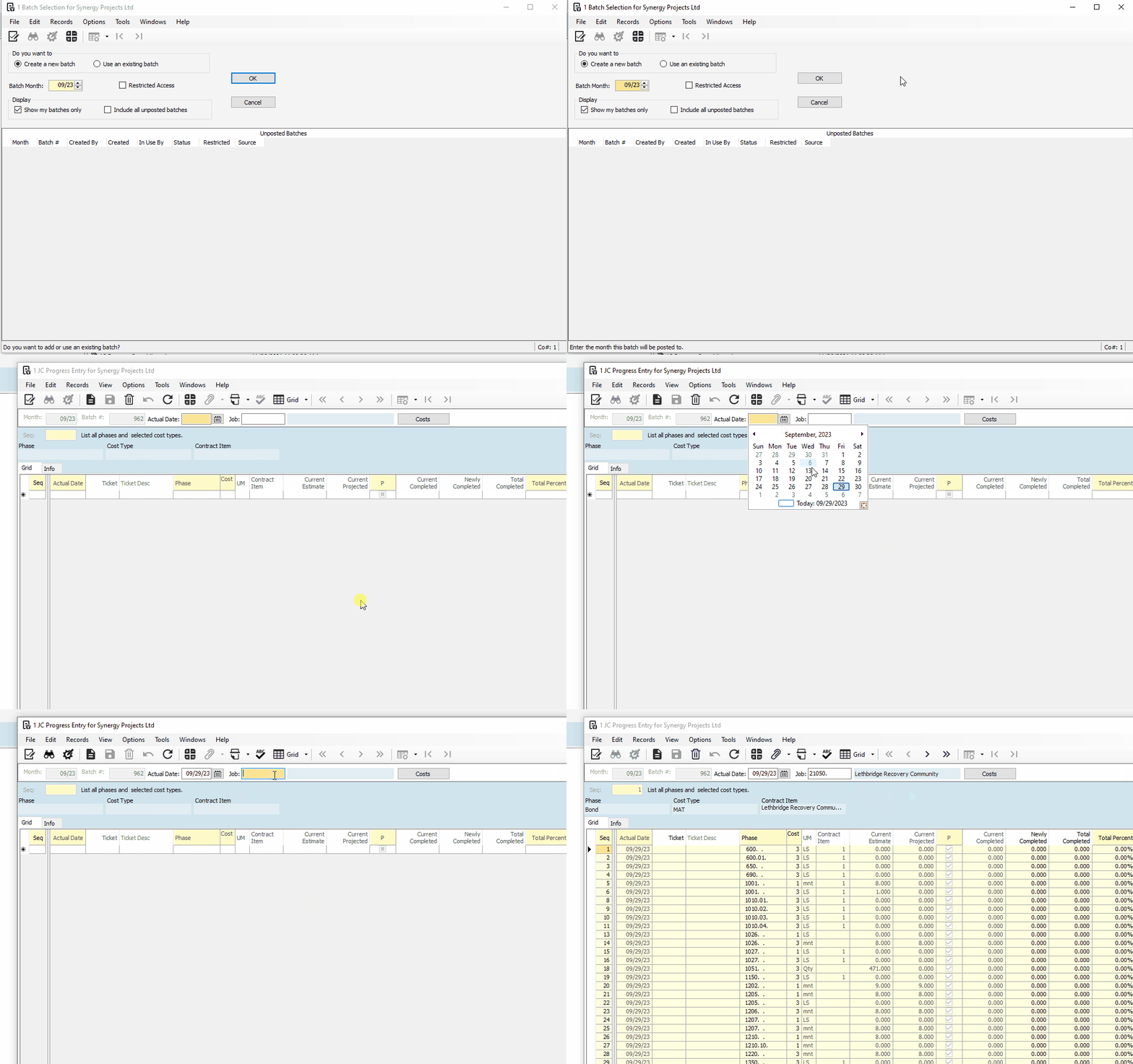
| − | [[File:ProgressEntry-LocationInViewpoint.png|center|frame]] | + | [[File:ProgressEntry-LocationInViewpoint.png|center|frame]]Create a new batch, similar to how you would do it in JC - Cost Projection Module. Then select the actual date - this date is for the actual date of the unit is used or completed, but can be set to the end of month if you are reporting once per month. Then you select the project using project #. See example below: |
| + | [[File:ProgressEntry-GenerateBatch.gif|center|frame]] | ||
Revision as of 16:39, 29 September 2023
When estimate is imported into viewpoint, the units (such as hours, or months etc.) are also imported. You can track the progress by confirming # of units completed (or used) in the period regularly. This will help with the Forecasting at month end.
This can be completed in Viewpoint Using "JC - Progress Entry" module. You can locate this module here:

Create a new batch, similar to how you would do it in JC - Cost Projection Module. Then select the actual date - this date is for the actual date of the unit is used or completed, but can be set to the end of month if you are reporting once per month. Then you select the project using project #. See example below:
