Difference between revisions of "Insert Space Line"
Jump to navigation
Jump to search
(Created page with "#To Add a Space Line the User must first select any Cell in the row they want to place a new Space Line in #*The New Space Line will always appear beneath the selected Cell's...") |
|||
| Line 10: | Line 10: | ||
[[File:After Insert Space.png|center]] | [[File:After Insert Space.png|center]] | ||
| + | |||
| + | [[Insert Space Line Static]] | ||
Revision as of 15:11, 9 July 2021
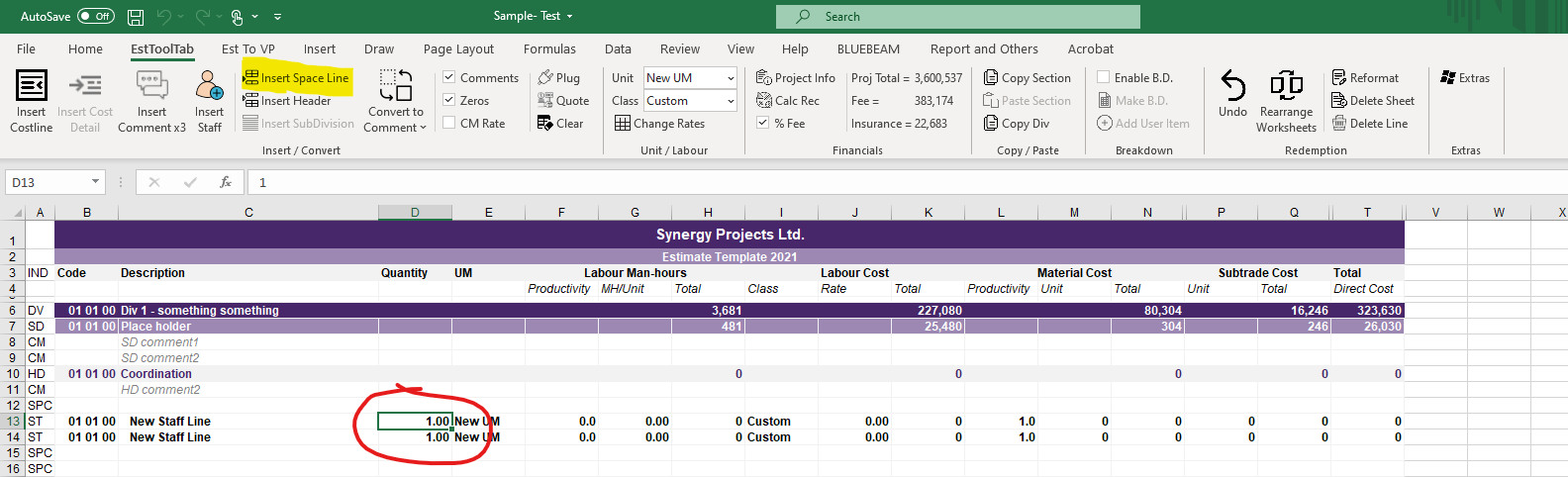
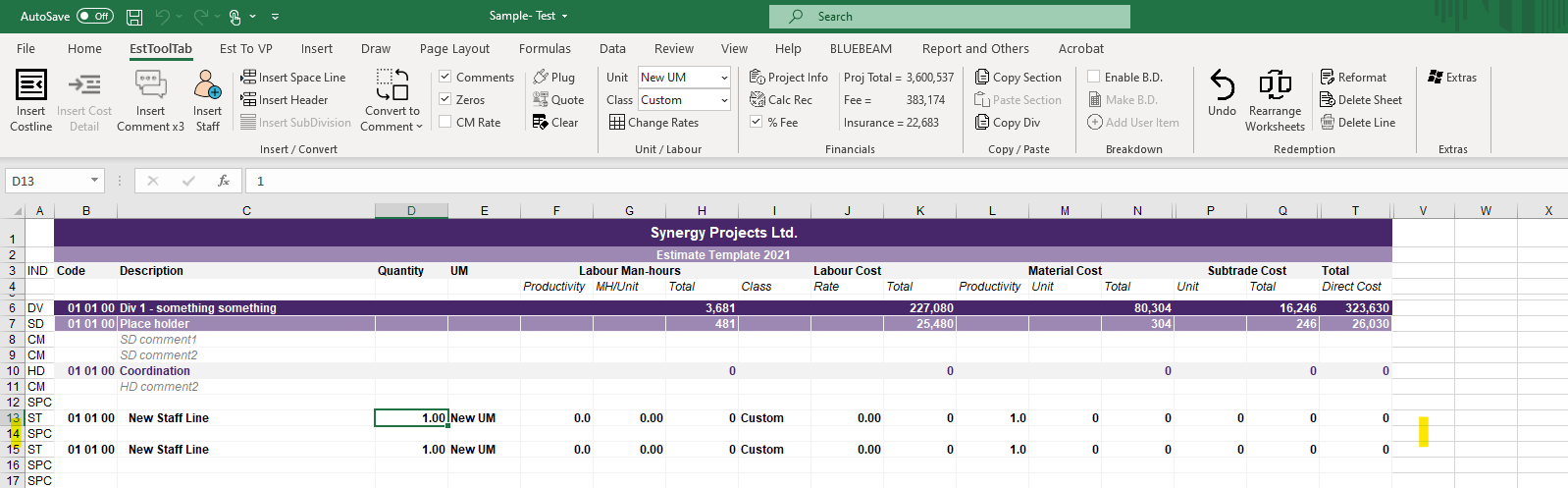
- To Add a Space Line the User must first select any Cell in the row they want to place a new Space Line in
- The New Space Line will always appear beneath the selected Cell's row

2. The User must then Click the Insert Space Line Button in the EstToolTab Ribbon and the New Space Line Should Appear
