Difference between revisions of "Class"
Jump to navigation
Jump to search
(Created page with "# Select Any Cell (or a Range) on the row(s) that you want to change the Class of # Click the drop down unit Menu and choose a Class to change #* The Class can also be changed...") |
|||
| Line 10: | Line 10: | ||
After Class Change | After Class Change | ||
[[File:After Class Change.png|center]] | [[File:After Class Change.png|center]] | ||
| + | |||
| + | [[Class Static]] | ||
Revision as of 17:32, 9 July 2021
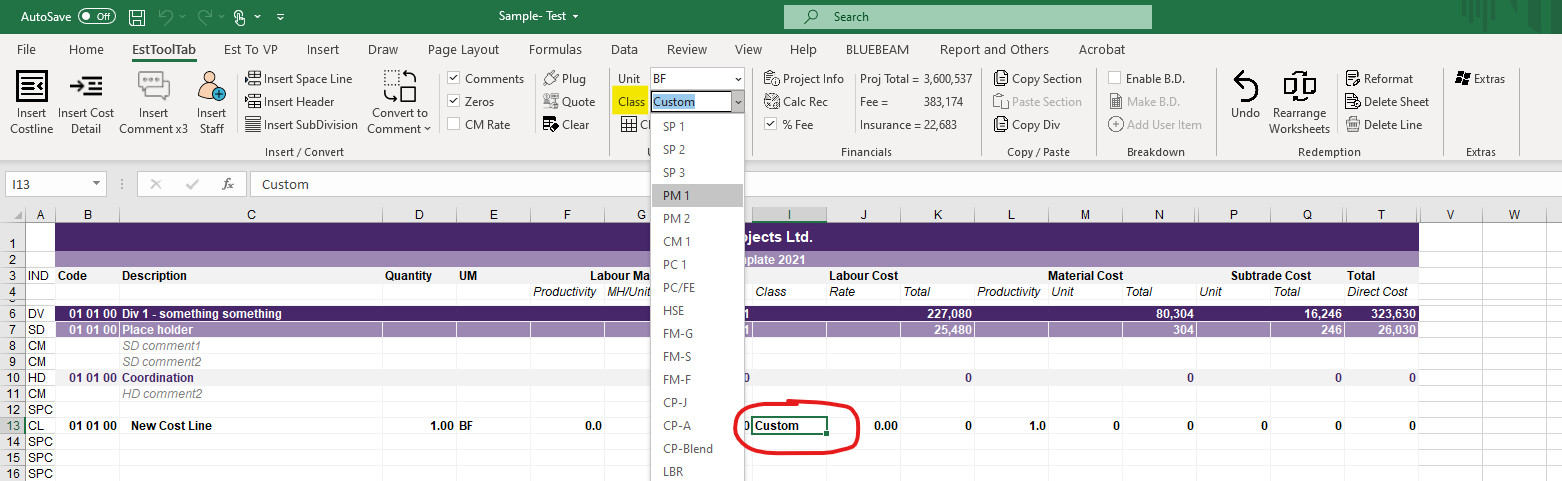
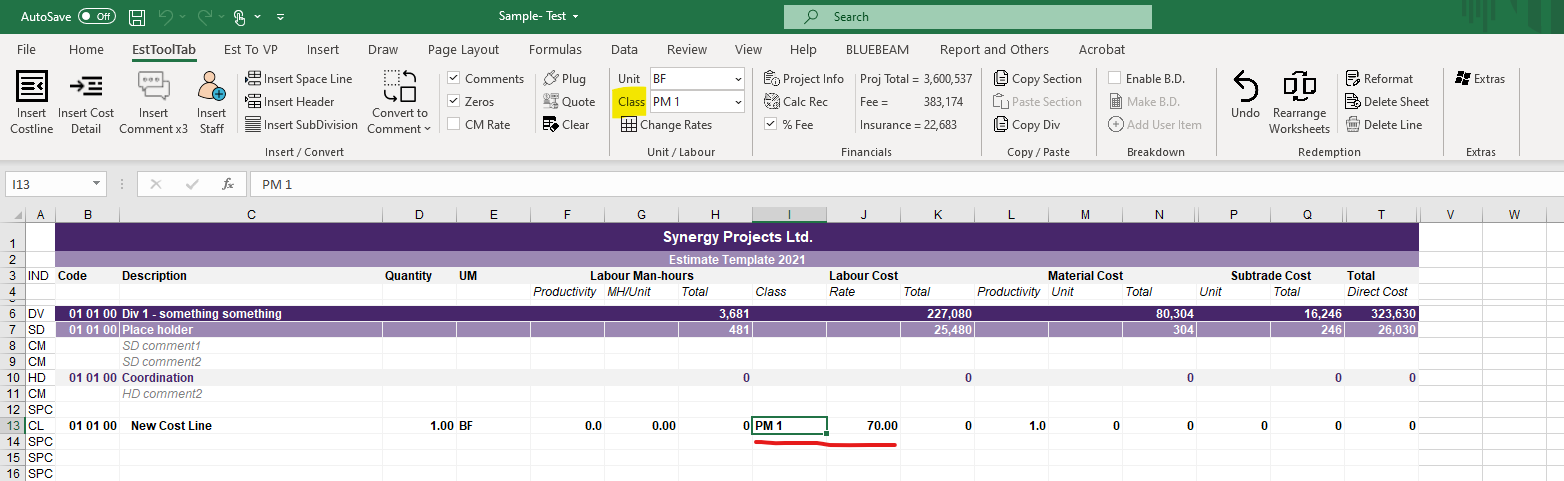
- Select Any Cell (or a Range) on the row(s) that you want to change the Class of
- Click the drop down unit Menu and choose a Class to change
- The Class can also be changed manually by typing them in
Before Class Change

After Class Change
