Difference between revisions of "Calculate Recoverable"
Jump to navigation
Jump to search
| (2 intermediate revisions by the same user not shown) | |||
| Line 1: | Line 1: | ||
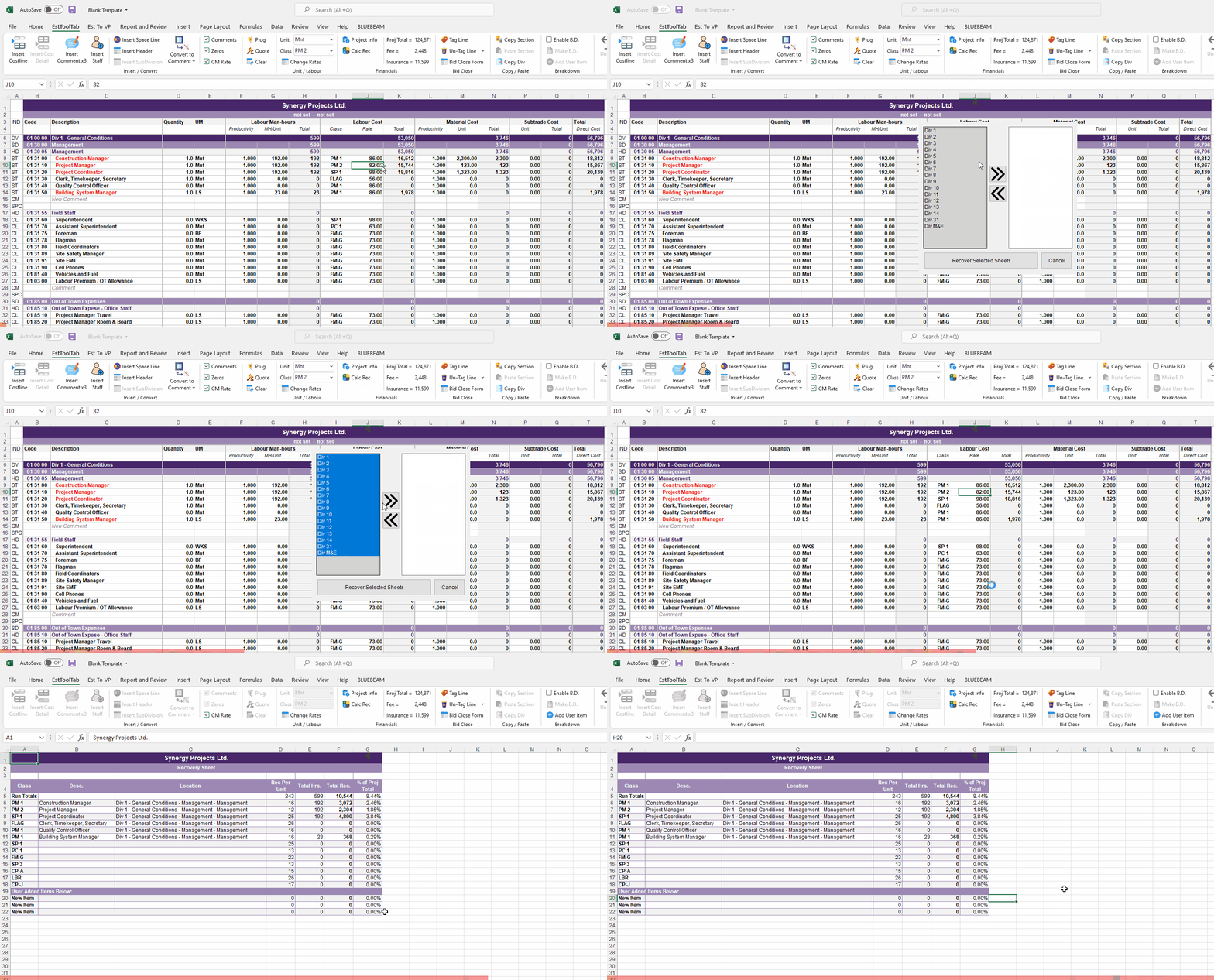
| − | + | # To Calculate Recoverables, you must first click the Calc Rec button in Financials & a window will appear | |
| + | # | ||
| + | # | ||
| + | # | ||
| + | # | ||
| + | # Then Select the Pages you want Recovered by clicking and dragging (or simply clicking) the ones you want recovered and pressing the arrows to switch them into the to-be Recovered box | ||
| + | # | ||
| + | # | ||
| + | # | ||
| + | # | ||
| + | # Click the Recover Selected Sheets Button when finished selecting | ||
| + | # | ||
| + | # | ||
| + | # | ||
| + | # A New Recoverable sheet will appear | ||
| − | [[File: | + | [[File:CalcRecGIF.gif|center]] |
| − | |||
| − | |||
| − | |||
| − | |||
| − | |||
| − | |||
| − | |||
| − | |||
| − | |||
| − | |||
| − | |||
| − | |||
| − | |||
| − | |||
| − | |||
| − | |||
| − | |||
[[Calculate Recoverable Static]] | [[Calculate Recoverable Static]] | ||
Latest revision as of 21:05, 1 February 2022
- To Calculate Recoverables, you must first click the Calc Rec button in Financials & a window will appear
- Then Select the Pages you want Recovered by clicking and dragging (or simply clicking) the ones you want recovered and pressing the arrows to switch them into the to-be Recovered box
- Click the Recover Selected Sheets Button when finished selecting
- A New Recoverable sheet will appear
