Difference between revisions of "Tag Line"
Jump to navigation
Jump to search
(Created page with "This Button will Tag a Line, Tagged Lines will appear in the Bid Close Form") |
|||
| (4 intermediate revisions by the same user not shown) | |||
| Line 1: | Line 1: | ||
| − | This Button will Tag a Line, | + | This Button will Tag a Line,</br> |
Tagged Lines will appear in the Bid Close Form | Tagged Lines will appear in the Bid Close Form | ||
| + | |||
| + | To Tag a Line: | ||
| + | # Select a cell in a row or multiple cells in multiple rows and press the tag line button | ||
| + | #* Certain lines are untaggable and the program will dictate this | ||
| + | #* If a CostLine with CD's active is tagged, the CostLine will become solo and its CD's will comment out | ||
| + | |||
| + | |||
| + | [[File:TagLineGIF.gif|center]] | ||
Latest revision as of 21:31, 1 February 2022
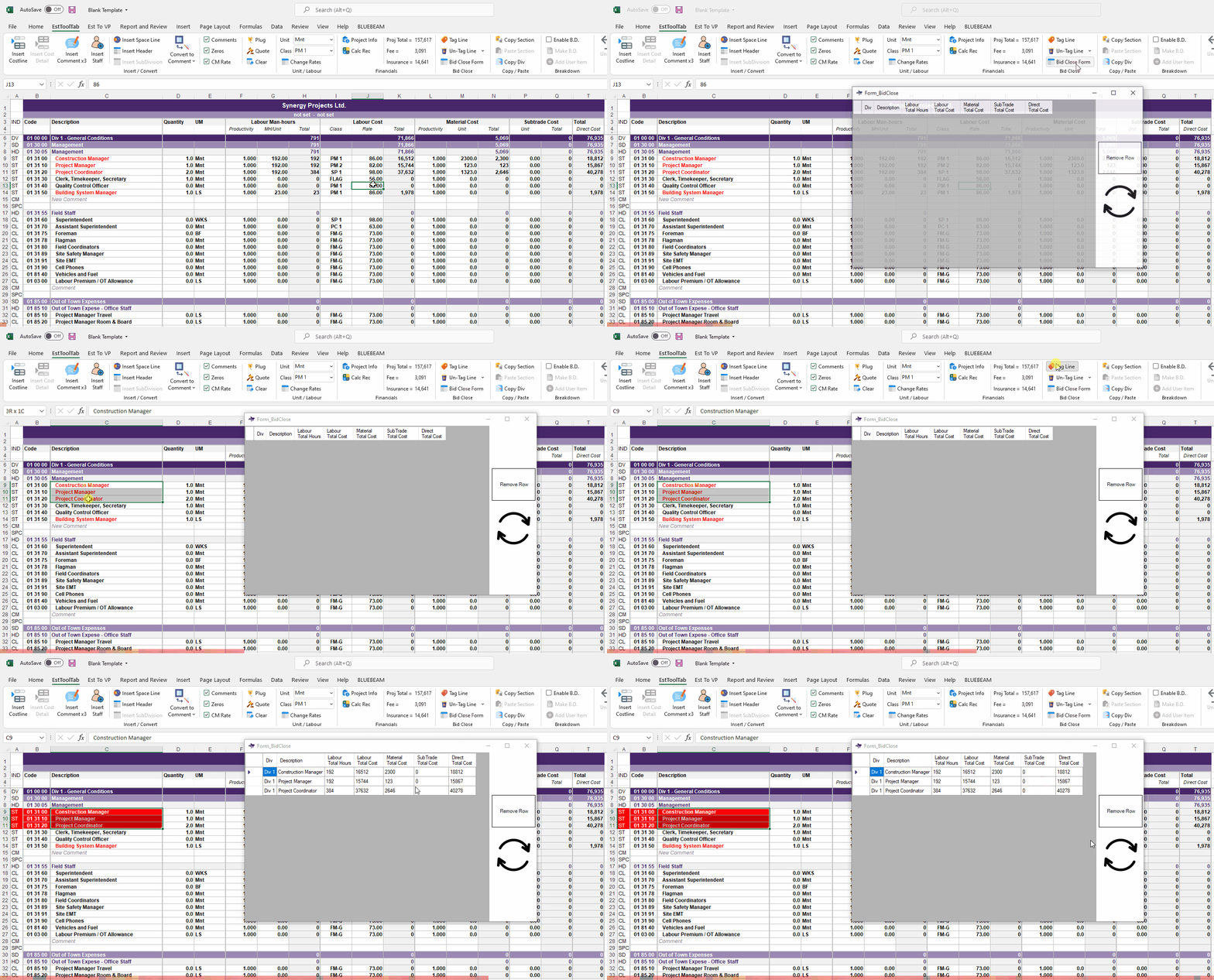
This Button will Tag a Line,
Tagged Lines will appear in the Bid Close Form
To Tag a Line:
- Select a cell in a row or multiple cells in multiple rows and press the tag line button
- Certain lines are untaggable and the program will dictate this
- If a CostLine with CD's active is tagged, the CostLine will become solo and its CD's will comment out
