Difference between revisions of "Consolidate"
Jump to navigation
Jump to search
| Line 1: | Line 1: | ||
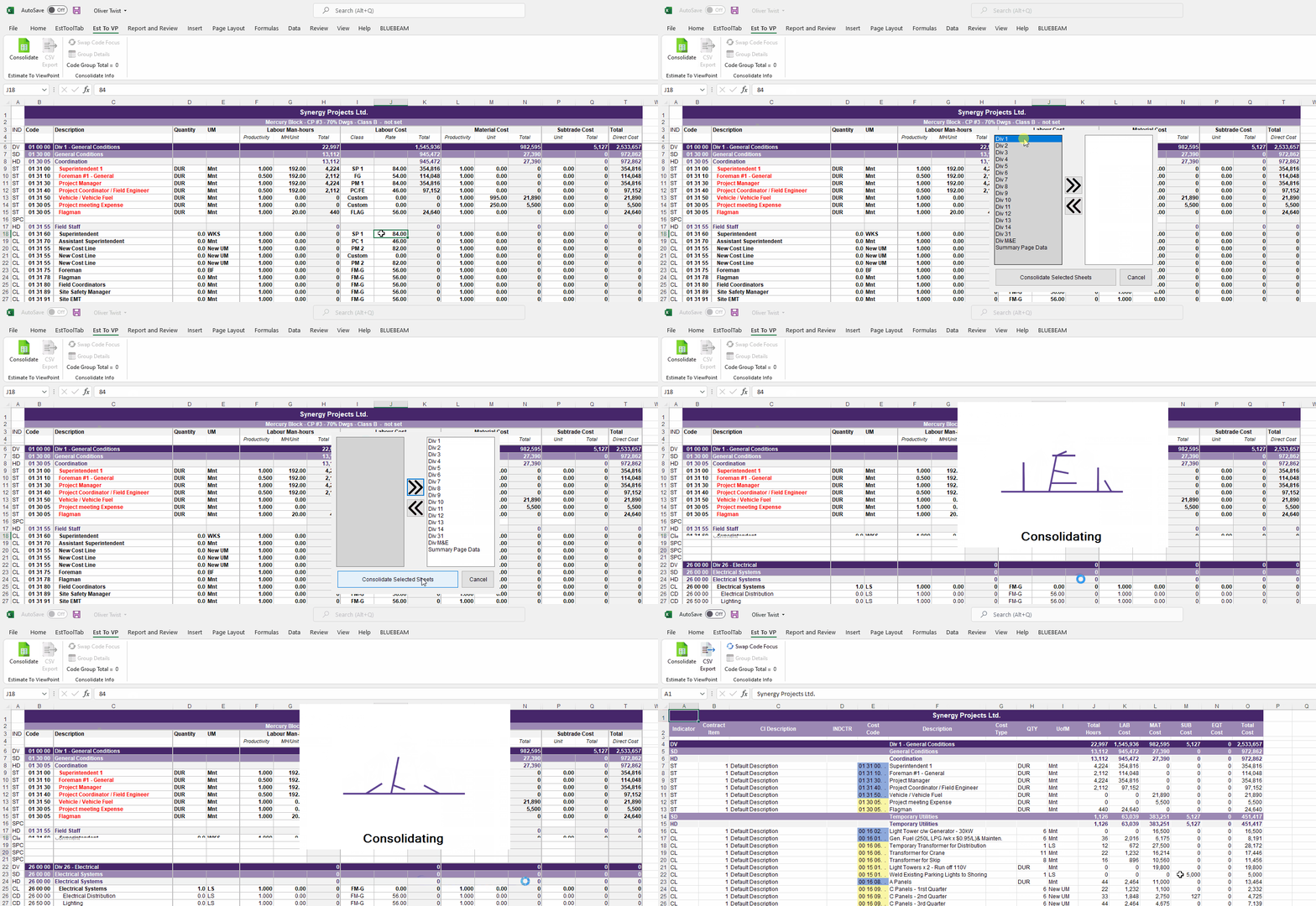
# Press the Consolidate Button Located in the Est To VP Ribbon | # Press the Consolidate Button Located in the Est To VP Ribbon | ||
# Select the Sheets that you want Consolidated | # Select the Sheets that you want Consolidated | ||
| − | # The Updated Consolidation Page should appear | + | # The Updated Consolidation Page should then appear |
[[File:ConsolidateGIF.gif|center]] | [[File:ConsolidateGIF.gif|center]] | ||
Latest revision as of 18:36, 2 February 2022
- Press the Consolidate Button Located in the Est To VP Ribbon
- Select the Sheets that you want Consolidated
- The Updated Consolidation Page should then appear
