Difference between revisions of "Insert Cost Line"
Jump to navigation
Jump to search
| (4 intermediate revisions by the same user not shown) | |||
| Line 1: | Line 1: | ||
| − | + | #To Add a Cost Line, the User must first select at least 1 Cell in the row they want to place a new Cost Line in | |
| − | + | #* NOTE: The New Cost Line will always appear beneath the selected Cell's row | |
| − | [[File: | + | #The User must then Click the Insert CostLine Button in the EstToolTab Ribbon and the New Cost Line Should Appear |
| + | |||
| + | |||
| + | |||
| + | |||
| + | [[File:InsertCostLineGIF.gif|center]] | ||
Latest revision as of 16:34, 1 February 2022
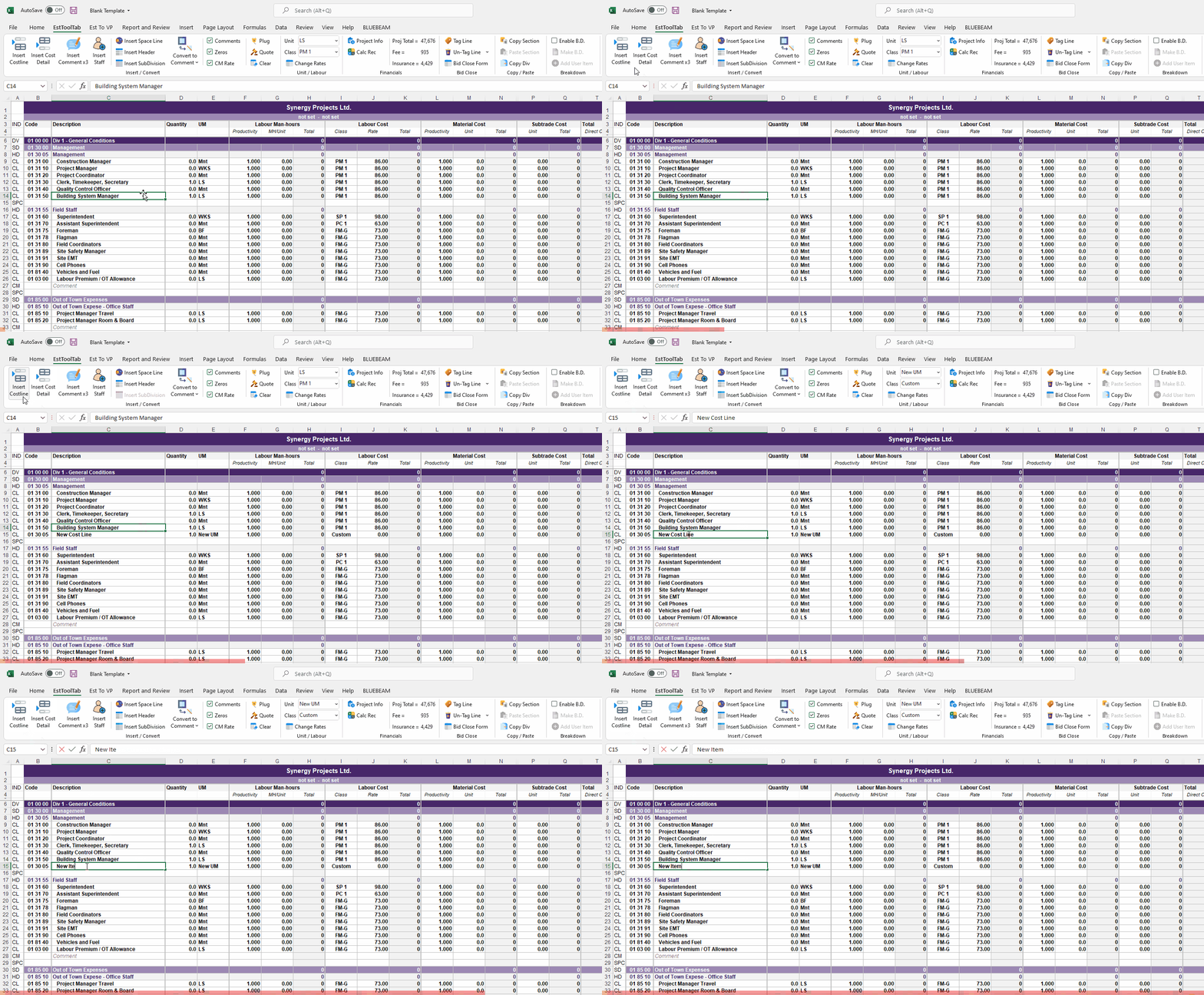
- To Add a Cost Line, the User must first select at least 1 Cell in the row they want to place a new Cost Line in
- NOTE: The New Cost Line will always appear beneath the selected Cell's row
- The User must then Click the Insert CostLine Button in the EstToolTab Ribbon and the New Cost Line Should Appear
