Difference between revisions of "Custom Document Properties"
Jump to navigation
Jump to search
| Line 1: | Line 1: | ||
To Access the Custom Document Properties of an Excel File: | To Access the Custom Document Properties of an Excel File: | ||
| − | # Make sure the Workbook is not Protected | + | # Make sure the Workbook is not Protected (An Estimating File should always be protected by default) |
# Press File | # Press File | ||
# Go to Info | # Go to Info | ||
Latest revision as of 14:26, 14 July 2021
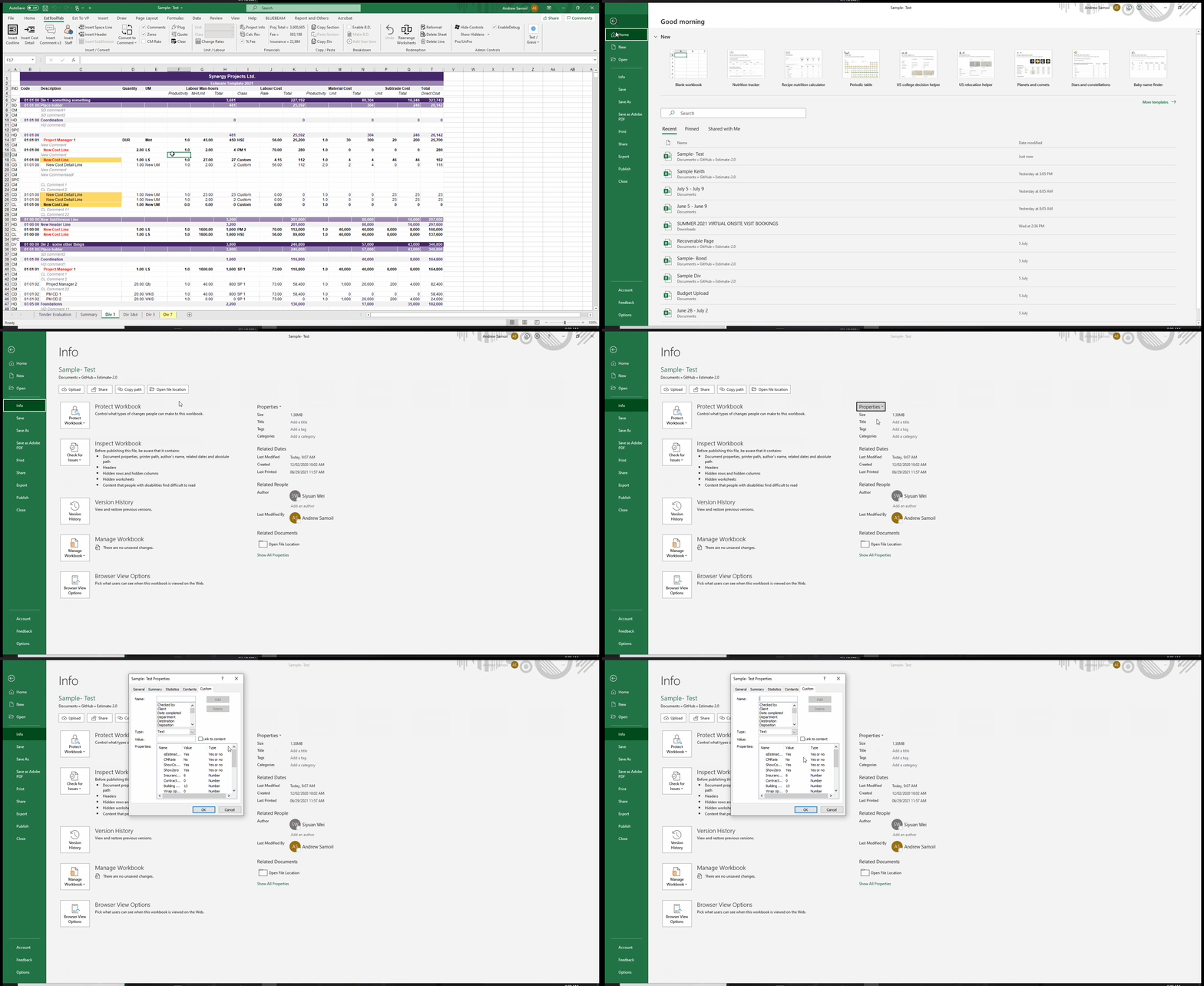
To Access the Custom Document Properties of an Excel File:
- Make sure the Workbook is not Protected (An Estimating File should always be protected by default)
- Press File
- Go to Info
- Click Properties and then Advanced Properties
- Go to Custom
