Difference between revisions of "Delete Est Software"
Jump to navigation
Jump to search
(Created page with "To Delete the Est Software 1. Close all Excel programs that are currently running 2. Search 'add or remove programs' in the windows search bar and click it to run the progra...") |
|||
| (4 intermediate revisions by 2 users not shown) | |||
| Line 4: | Line 4: | ||
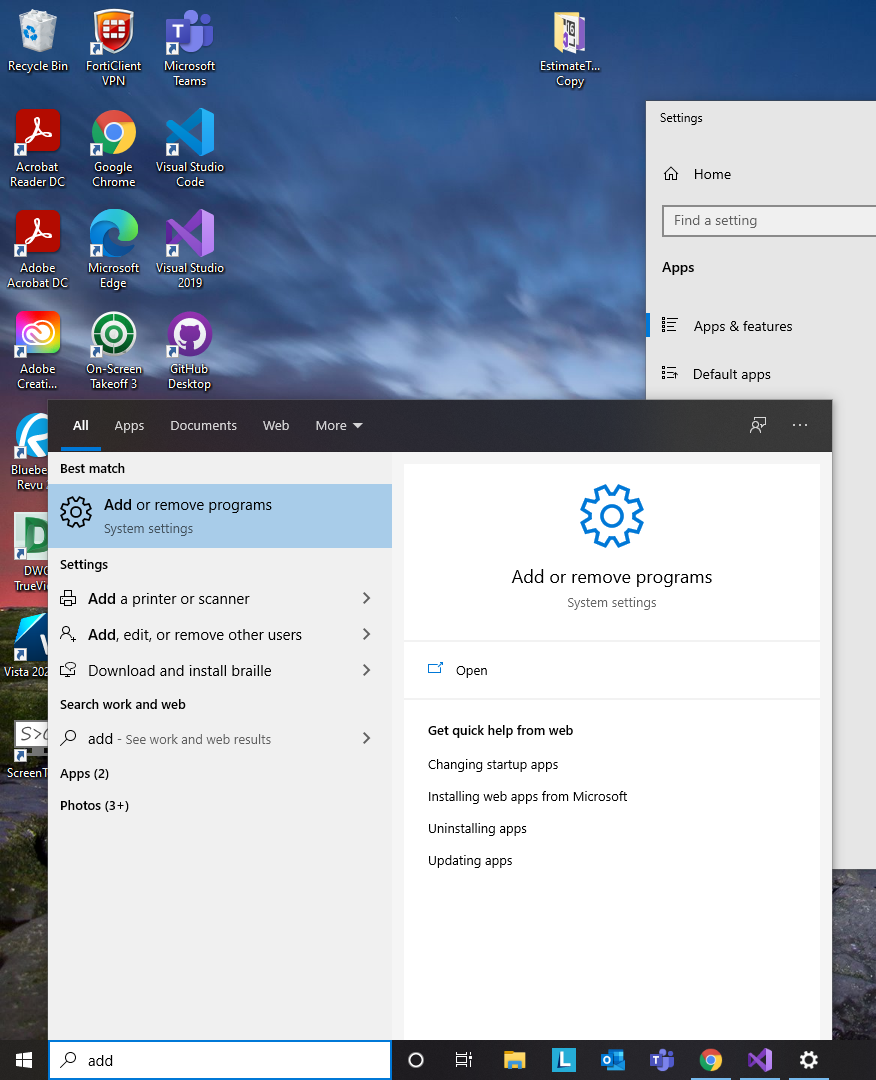
2. Search 'add or remove programs' in the windows search bar and click it to run the program | 2. Search 'add or remove programs' in the windows search bar and click it to run the program | ||
| + | |||
[[File:Delete Add or remove.png|center]] | [[File:Delete Add or remove.png|center]] | ||
| + | |||
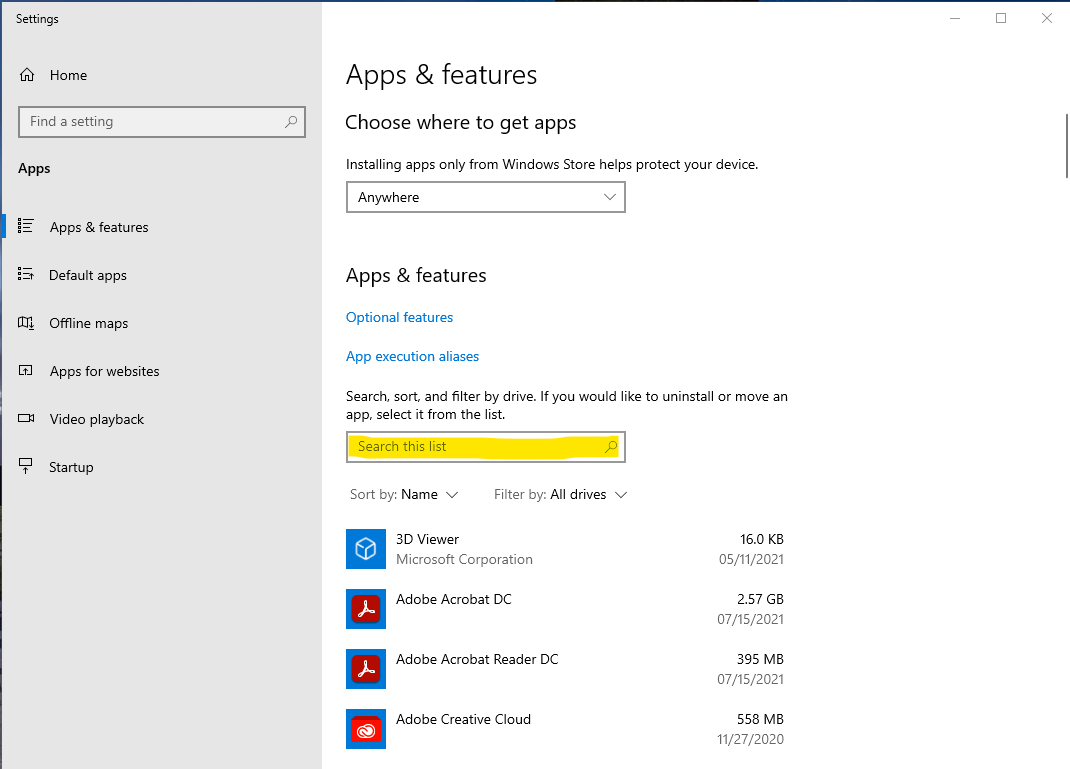
Something like this should then appear | Something like this should then appear | ||
| + | |||
[[File:Delete Add Program H.png|center]] | [[File:Delete Add Program H.png|center]] | ||
| + | |||
3. There is a searchbar below (highlighted in yellow in the picture above). Search up 'est' in the searchbar (or alternatively sort the programs by Install date) | 3. There is a searchbar below (highlighted in yellow in the picture above). Search up 'est' in the searchbar (or alternatively sort the programs by Install date) | ||
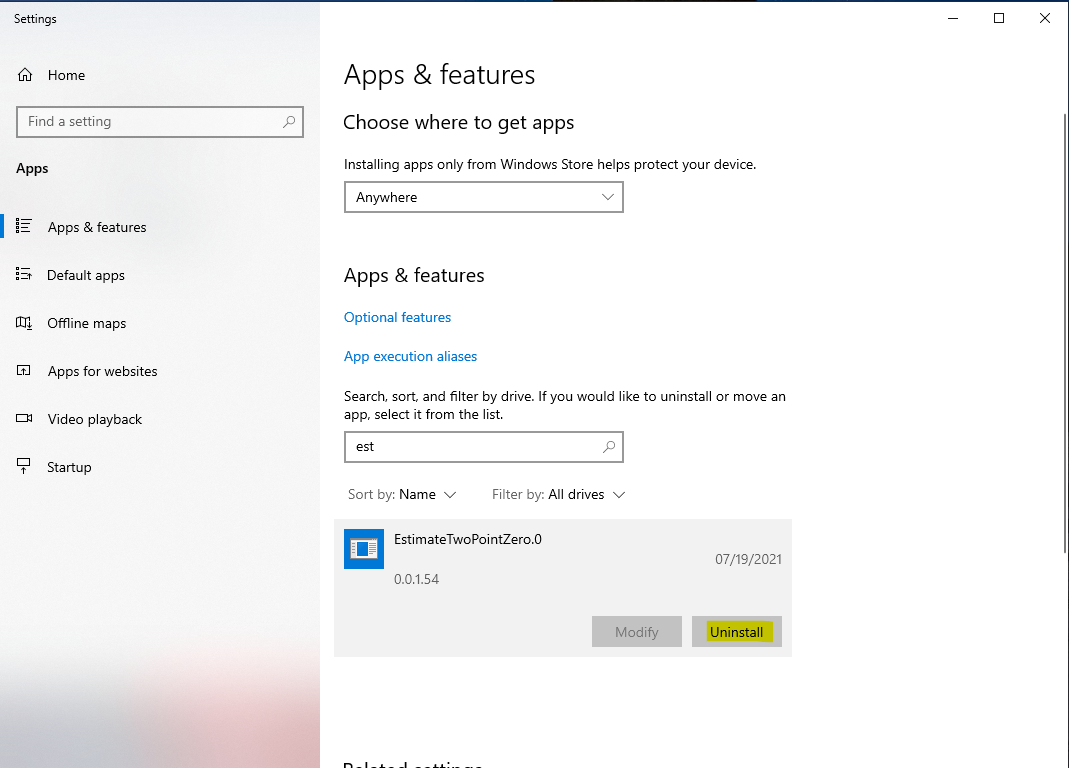
The Window should look something like this | The Window should look something like this | ||
| + | |||
[[File:Delete Est.png|center]] | [[File:Delete Est.png|center]] | ||
| − | 4. Click Uninstall and click Yes or OK to any pop-ups (there may be 2) | + | |
| + | 4. Click Uninstall and click Yes or OK to any pop-ups (there may be 2) NOTE: This may take like 5 seconds so just be patient | ||
5. Congrats, The program is uninstalled and a fresh copy may be re-installed | 5. Congrats, The program is uninstalled and a fresh copy may be re-installed | ||
Latest revision as of 17:04, 6 May 2022
To Delete the Est Software
1. Close all Excel programs that are currently running
2. Search 'add or remove programs' in the windows search bar and click it to run the program

Something like this should then appear

3. There is a searchbar below (highlighted in yellow in the picture above). Search up 'est' in the searchbar (or alternatively sort the programs by Install date)
The Window should look something like this

4. Click Uninstall and click Yes or OK to any pop-ups (there may be 2) NOTE: This may take like 5 seconds so just be patient
5. Congrats, The program is uninstalled and a fresh copy may be re-installed