Difference between revisions of "Timecard - Initial Setup"
Jump to navigation
Jump to search
Carsen der (talk | contribs) |
Carsen der (talk | contribs) |
||
| Line 1: | Line 1: | ||
The first step is setting up a Power BI account to view the report. | The first step is setting up a Power BI account to view the report. | ||
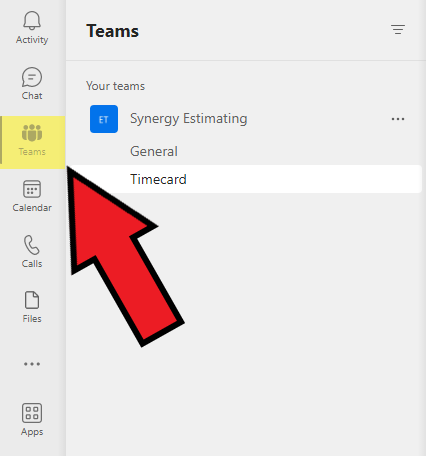
| + | To view the timecard report page, click on the Teams tab on the left side of MS teams:[[File:Timecard - Requesting - Teams tab screenshot .png|center|frame]] | ||
| + | Next, click on "Your teams", click on the Synergy Estimating team and click on "Timecard" | ||
Revision as of 17:18, 10 July 2023
The first step is setting up a Power BI account to view the report.
To view the timecard report page, click on the Teams tab on the left side of MS teams:

Next, click on "Your teams", click on the Synergy Estimating team and click on "Timecard"