Difference between revisions of "Convert CL To ST"
Jump to navigation
Jump to search
(Created page with "#To Convert To ST the User must first select any Cell in the row they want to Convert (Or a Range) #*Only CL's are allowed to be commented out in the current version File:...") |
|||
| Line 1: | Line 1: | ||
#To Convert To ST the User must first select any Cell in the row they want to Convert (Or a Range) | #To Convert To ST the User must first select any Cell in the row they want to Convert (Or a Range) | ||
| − | #*Only CL's are allowed to be commented out in the current version | + | #*Only CL's with no CD's are allowed to be commented out in the current version |
Revision as of 21:36, 7 July 2021
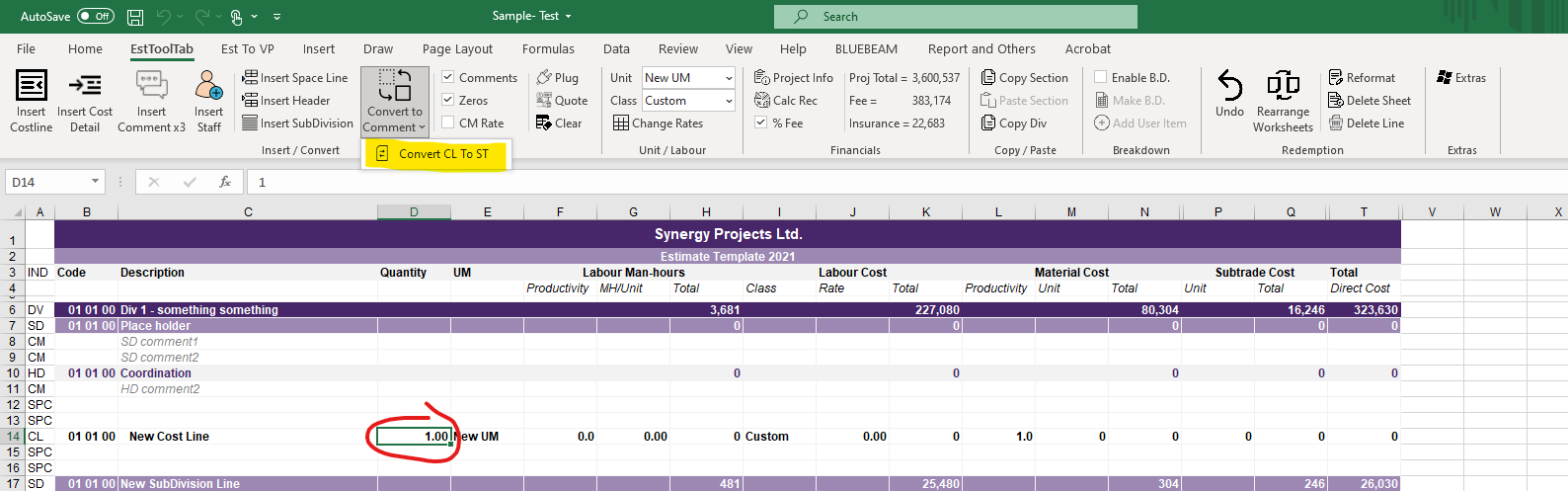
- To Convert To ST the User must first select any Cell in the row they want to Convert (Or a Range)
- Only CL's with no CD's are allowed to be commented out in the current version

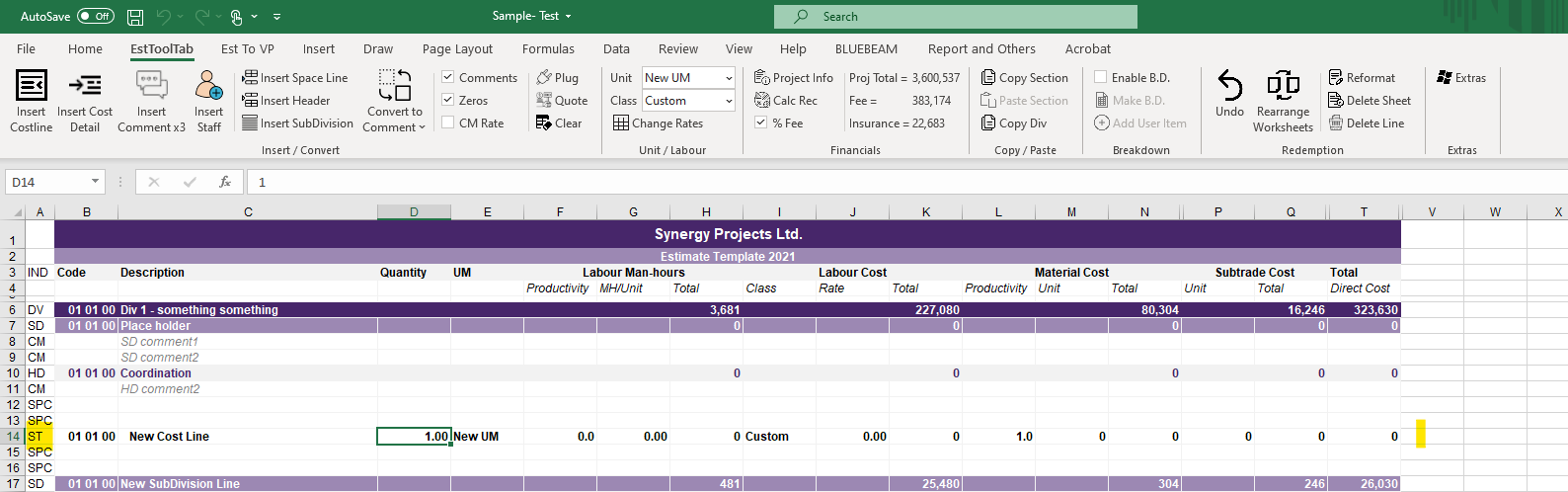
2. The User must then Click the Convert To ST Button in the EstToolTab Ribbon and the Lines should Convert
