Difference between revisions of "Calculate Recoverable"
Jump to navigation
Jump to search
(Created page with "1. To Calculate Recoverable, you must first click the Calc Rec button in Financials & a Window will appear center 2. Then Select the Pages you...") |
|||
| Line 21: | Line 21: | ||
[[File:Rec Page.png|center]] | [[File:Rec Page.png|center]] | ||
| + | |||
| + | [[Calculate Recoverable Static]] | ||
Revision as of 19:13, 9 July 2021
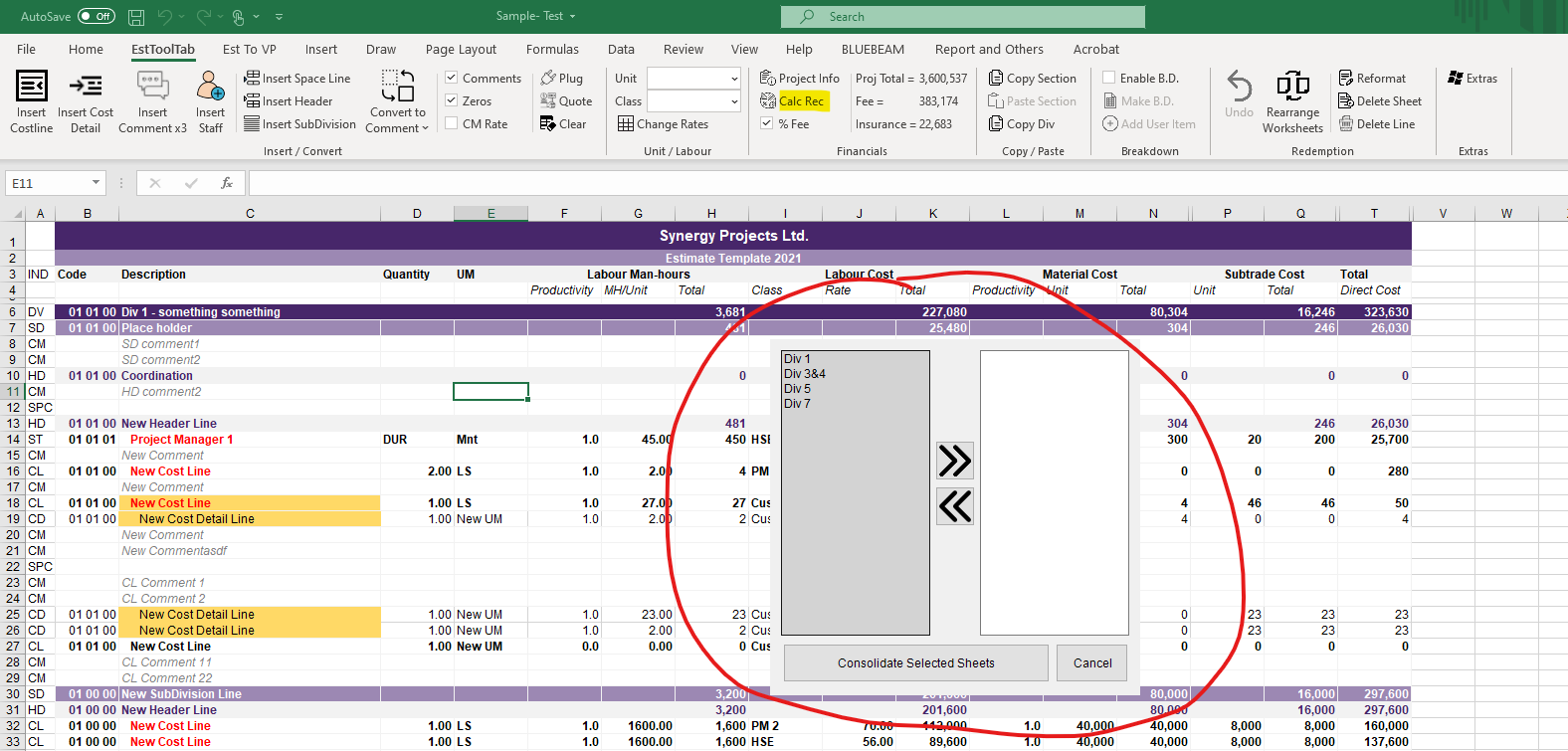
1. To Calculate Recoverable, you must first click the Calc Rec button in Financials & a Window will appear

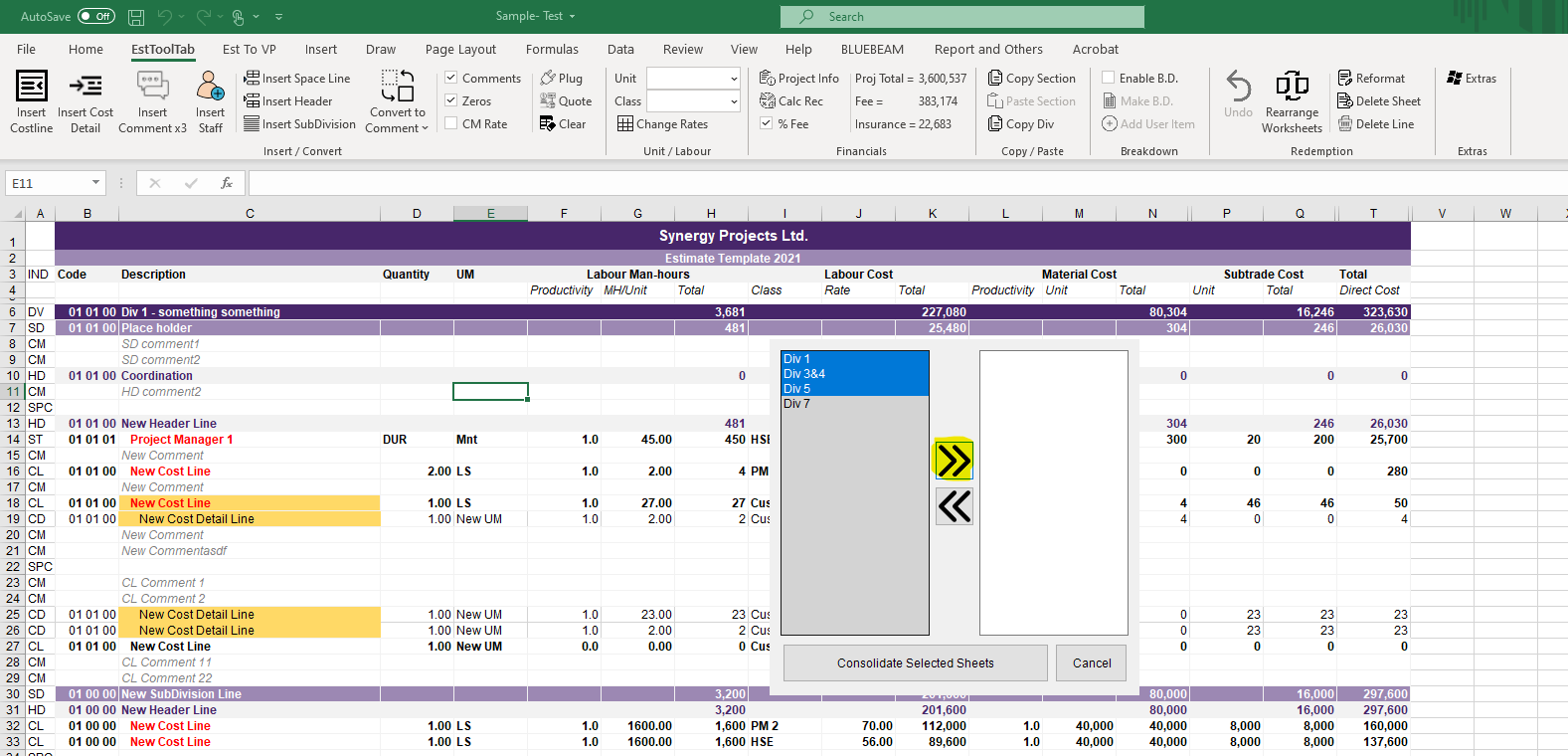
2. Then Select the Pages you want Recovered by clicking and dragging (or simply clicking) the ones you want recovered and pressing the arrows to switch them into the to-be Recovered box

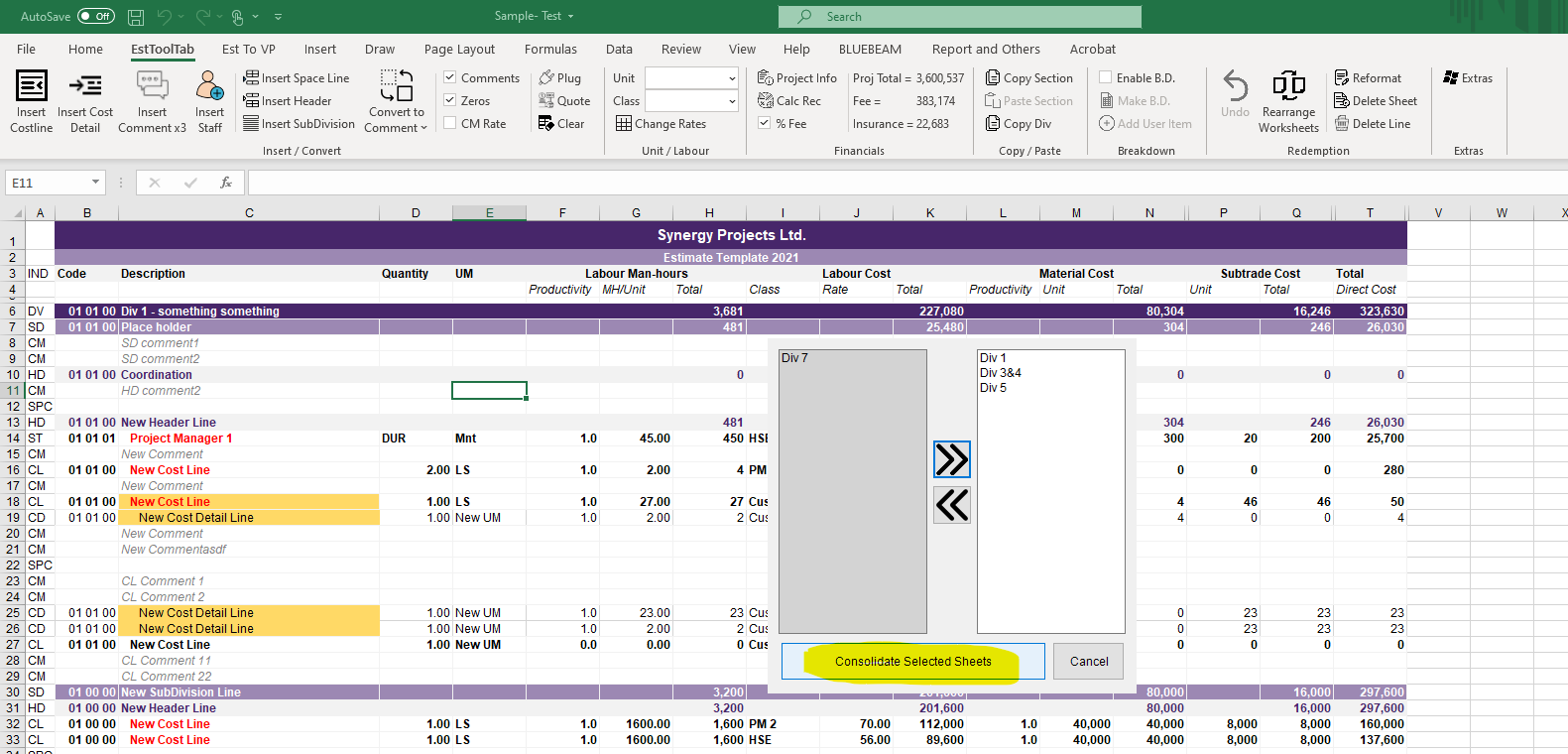
3. Click the Recover Selected Sheets Button when finished selecting

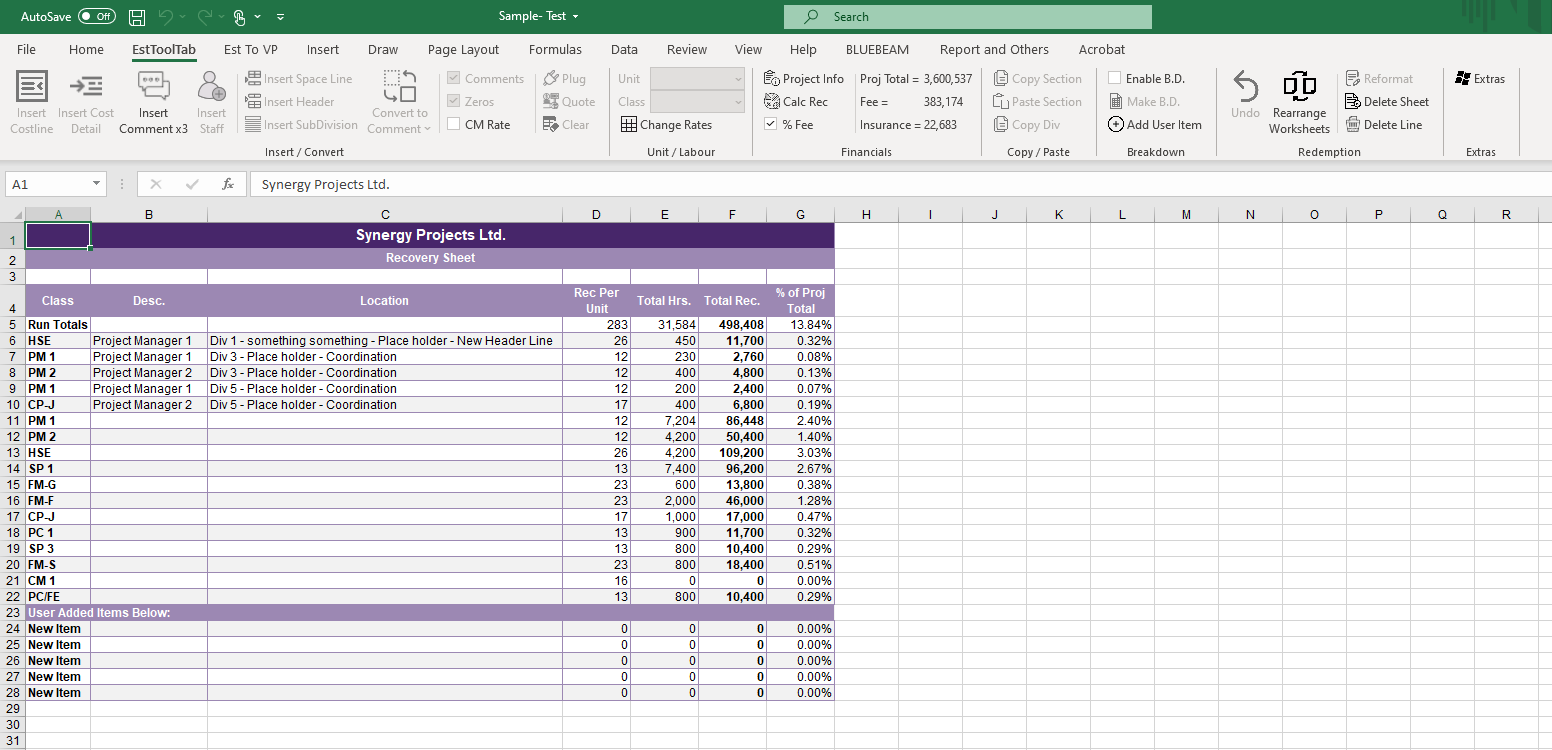
4. A New Recoverable sheet will appear
