Difference between revisions of "Project Info"
Jump to navigation
Jump to search
| Line 9: | Line 9: | ||
[[File:After Project Info.png|center]] | [[File:After Project Info.png|center]] | ||
| + | |||
| + | Note: Only the Number can be changed! | ||
Revision as of 19:06, 8 July 2021
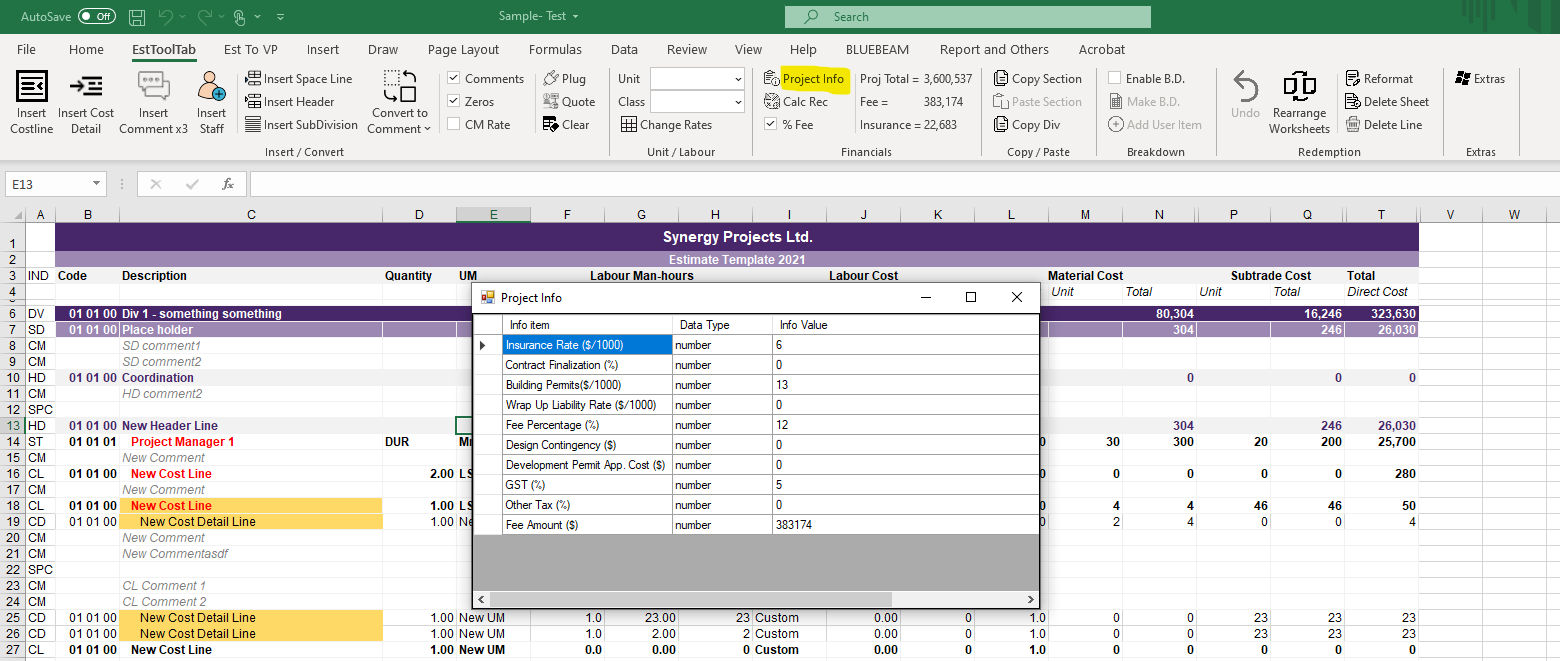
1. To Change the Project Info, the User must Press the Project info button and a Pop-Up should appear

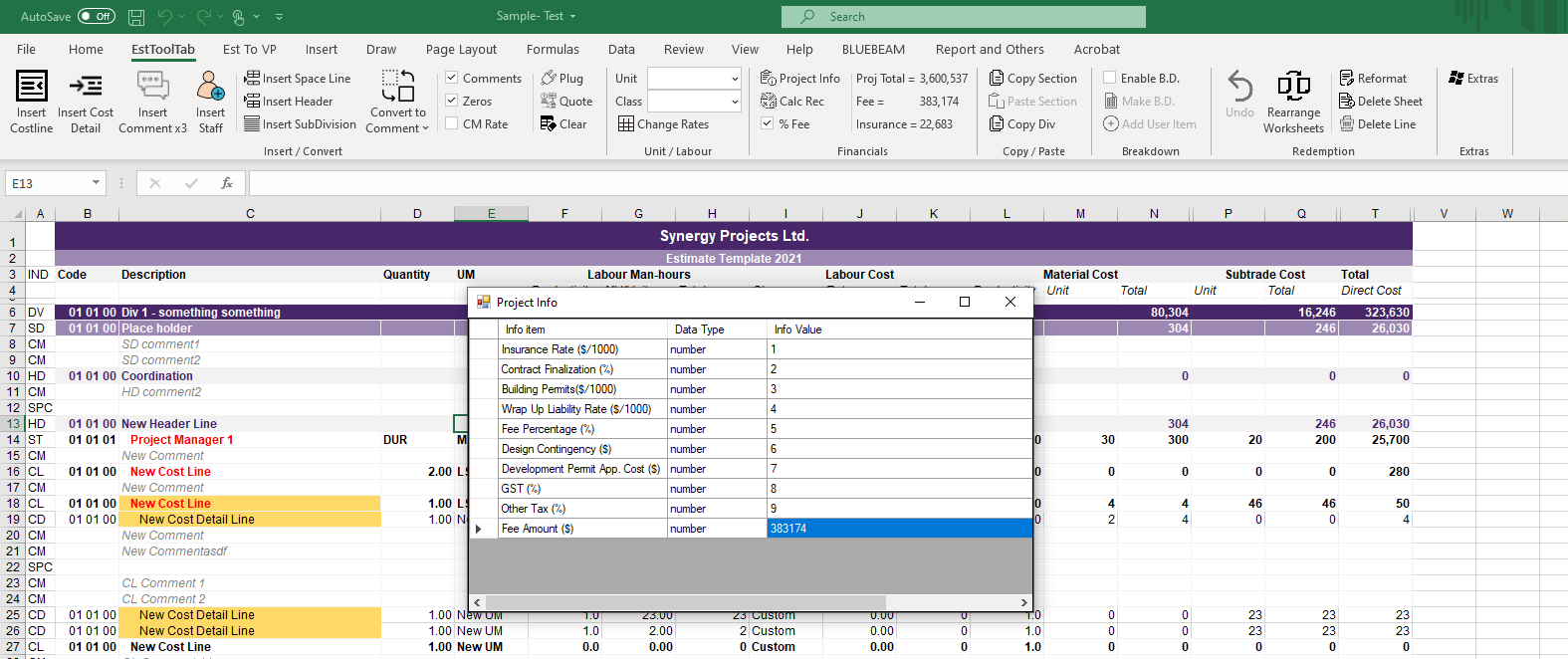
2. You can edit the number values in this window to the values the project needs

Note: Only the Number can be changed!