Difference between revisions of "Change Rates"
Jump to navigation
Jump to search
(Created page with "# To Change the Rates, the user must press the Change Rates button located in the Unit / Labour Sub-Section center # A Pop-Up window will th...") |
|||
| Line 1: | Line 1: | ||
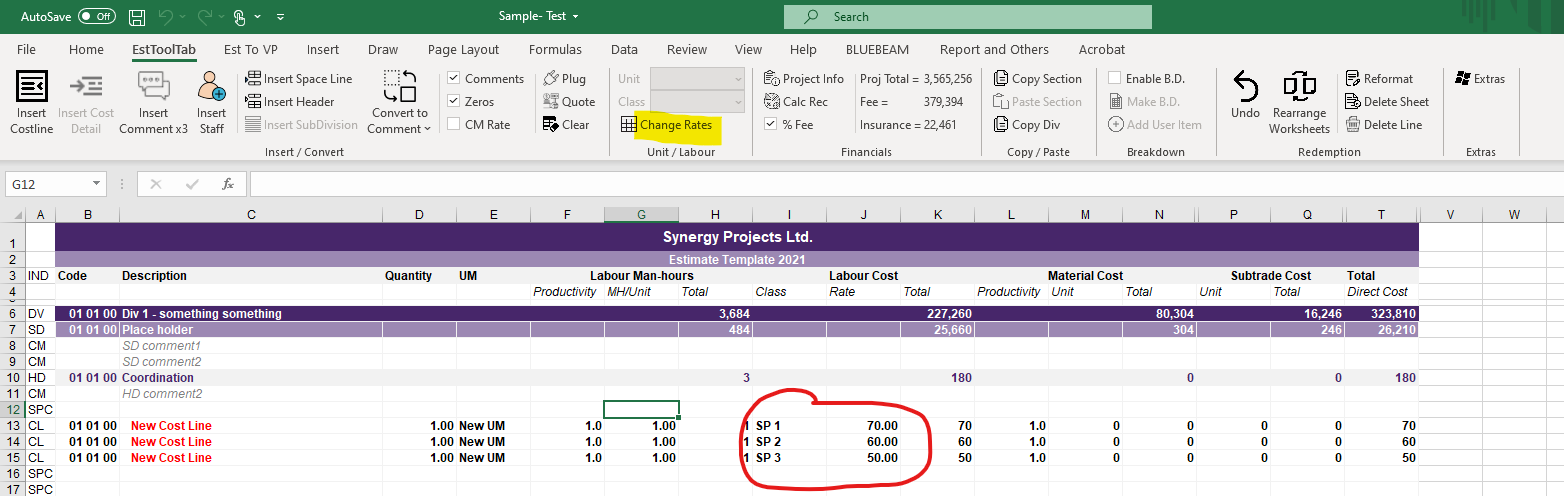
# To Change the Rates, the user must press the Change Rates button located in the Unit / Labour Sub-Section | # To Change the Rates, the user must press the Change Rates button located in the Unit / Labour Sub-Section | ||
| + | |||
[[File:Before Change Rates.png|center]] | [[File:Before Change Rates.png|center]] | ||
| + | |||
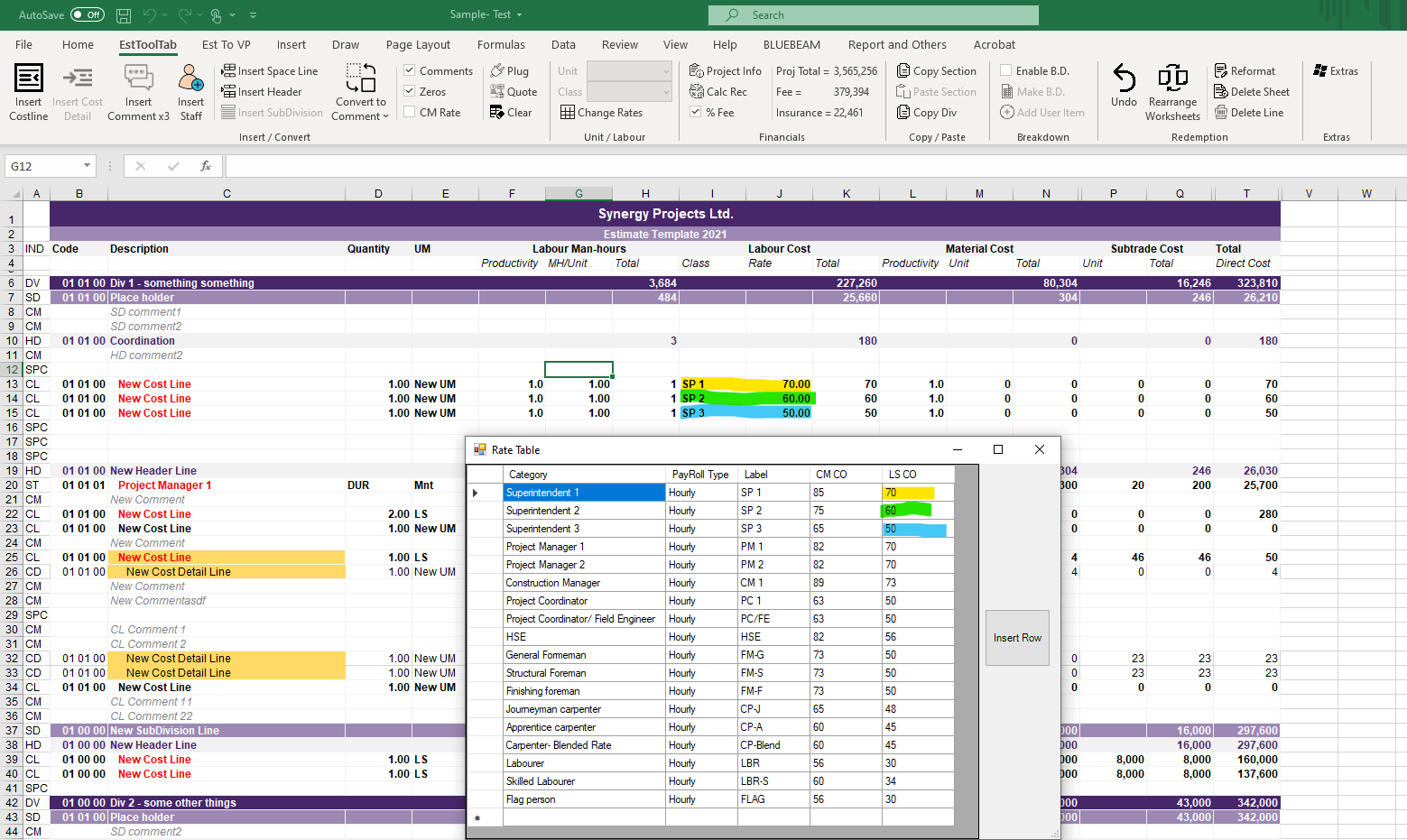
# A Pop-Up window will then Appear in which the User Can Change or Add Lines | # A Pop-Up window will then Appear in which the User Can Change or Add Lines | ||
| + | |||
[[File:Rate Table Shown.png|center]] | [[File:Rate Table Shown.png|center]] | ||
| + | |||
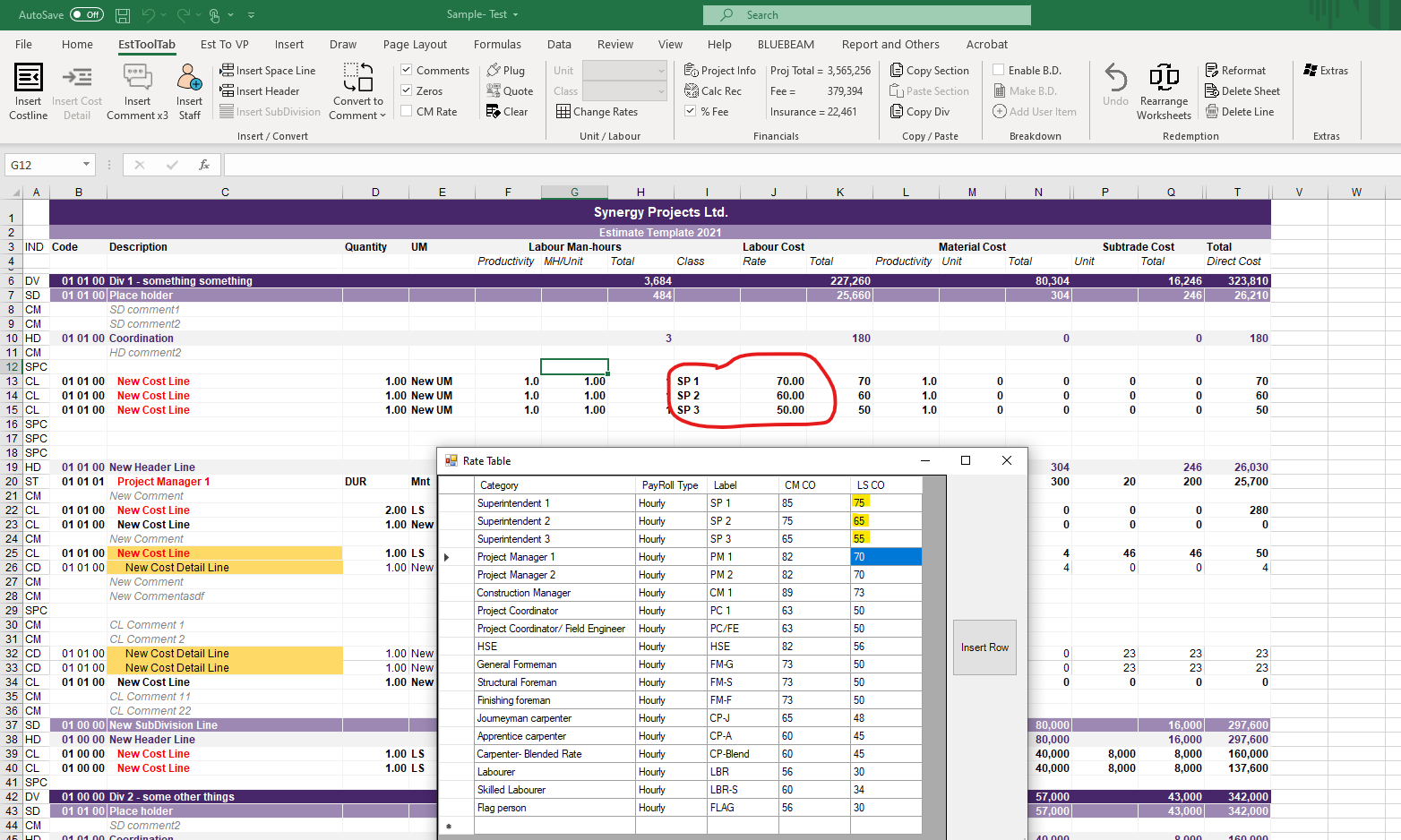
# Once a Change has been made the User can Close the Window and the Workbook will ReCalculate | # Once a Change has been made the User can Close the Window and the Workbook will ReCalculate | ||
| + | |||
[[File:After Rate Change.png|center]] | [[File:After Rate Change.png|center]] | ||
| + | |||
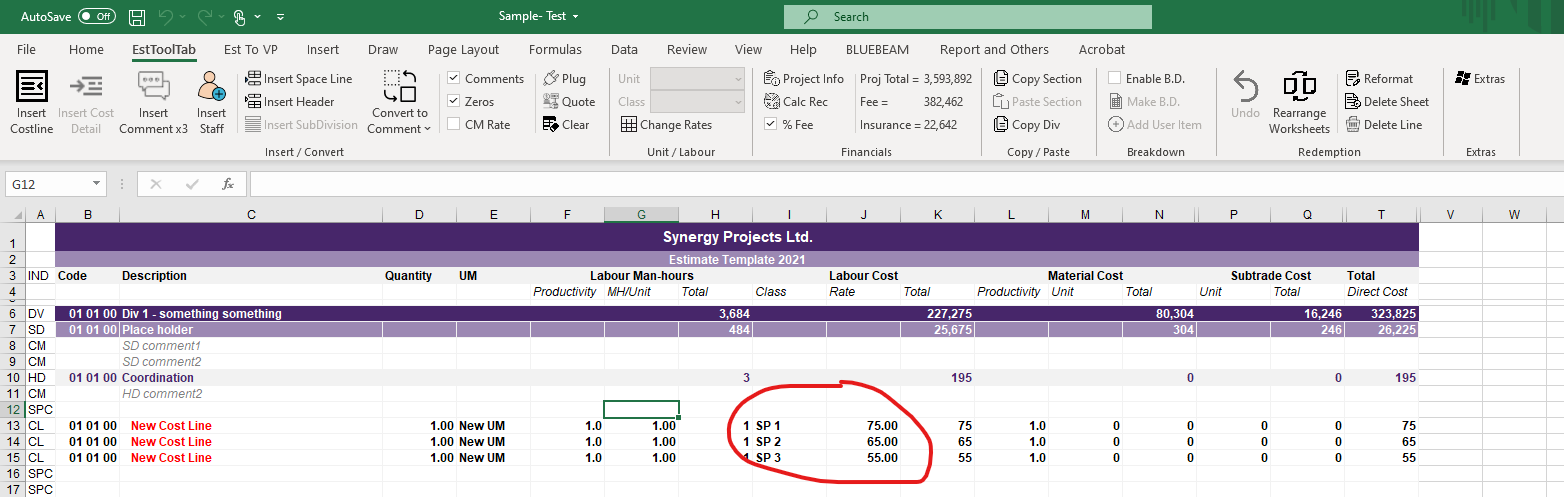
# The Change has been applied and the Totals have updated | # The Change has been applied and the Totals have updated | ||
| + | |||
[[File:After Rate Changed.png|center]] | [[File:After Rate Changed.png|center]] | ||
Revision as of 17:15, 8 July 2021
- To Change the Rates, the user must press the Change Rates button located in the Unit / Labour Sub-Section

- A Pop-Up window will then Appear in which the User Can Change or Add Lines

- Once a Change has been made the User can Close the Window and the Workbook will ReCalculate

- The Change has been applied and the Totals have updated
