Change Rates
Jump to navigation
Jump to search
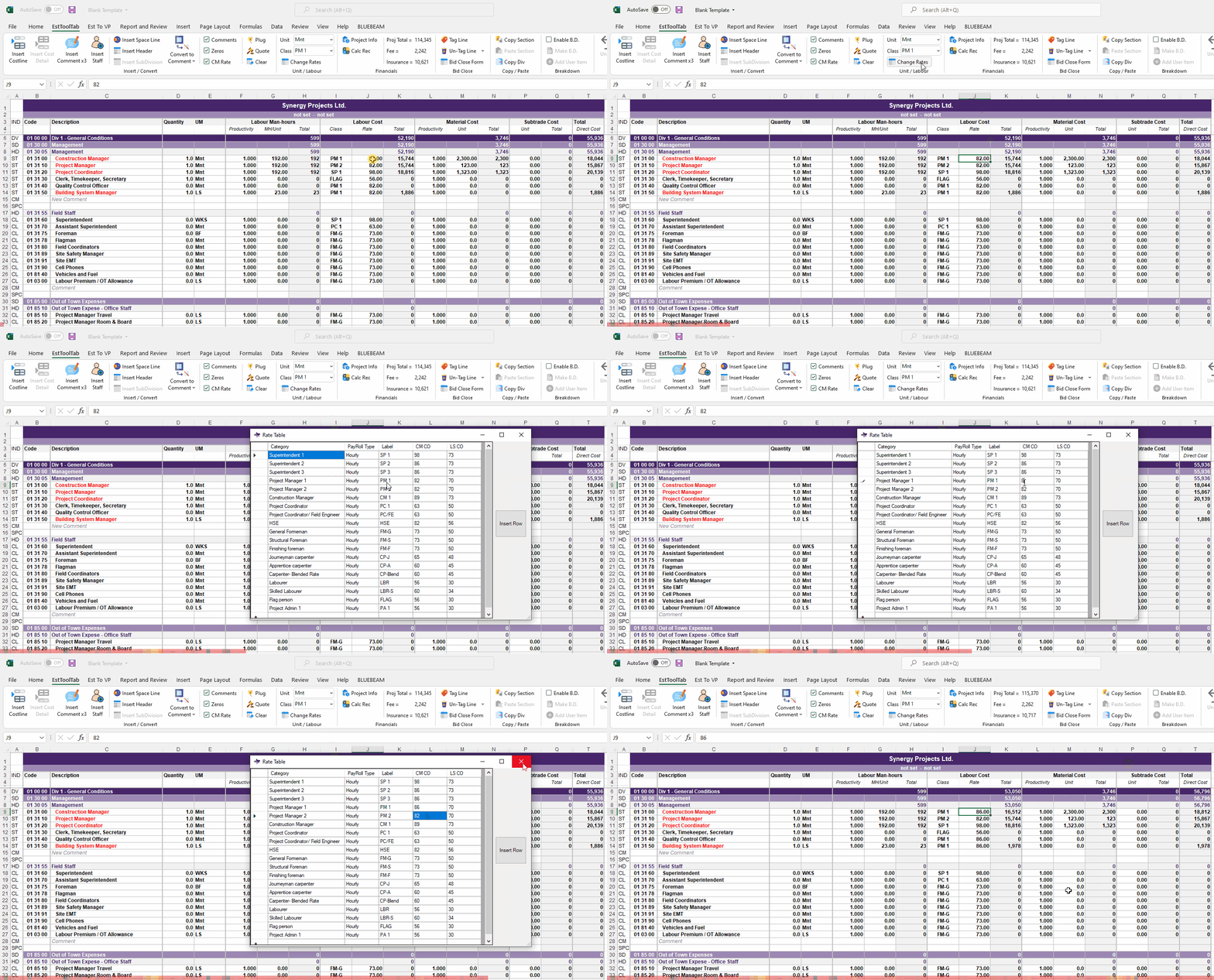
- To Change the Rates, the user must press the Change Rates button located in the Unit / Labour Sub-Section
- A Pop-Up window will then Appear in which the User Can Change or Add Lines
- Once a Change has been made the User can Close the Window and the Workbook will ReCalculate
- The Change has been applied and the Totals have updated
