Difference between revisions of "Rearrange Worksheets"
Jump to navigation
Jump to search
(Created page with "To Rearrange Worksheets: # Click the Rearrange Worksheets button # Select One worksheet (By clicking) or select multiple (by clicking and dragging) to move # Press the Move Up...") |
|||
| Line 4: | Line 4: | ||
# Press the Move Up or Down buttons to move the selected worksheets Up or Down | # Press the Move Up or Down buttons to move the selected worksheets Up or Down | ||
# When all moves are completed press the OK button and the workbook should reorganize | # When all moves are completed press the OK button and the workbook should reorganize | ||
| + | |||
[[File:Swap Worksheets GIF.gif|center]] | [[File:Swap Worksheets GIF.gif|center]] | ||
Latest revision as of 16:09, 12 July 2021
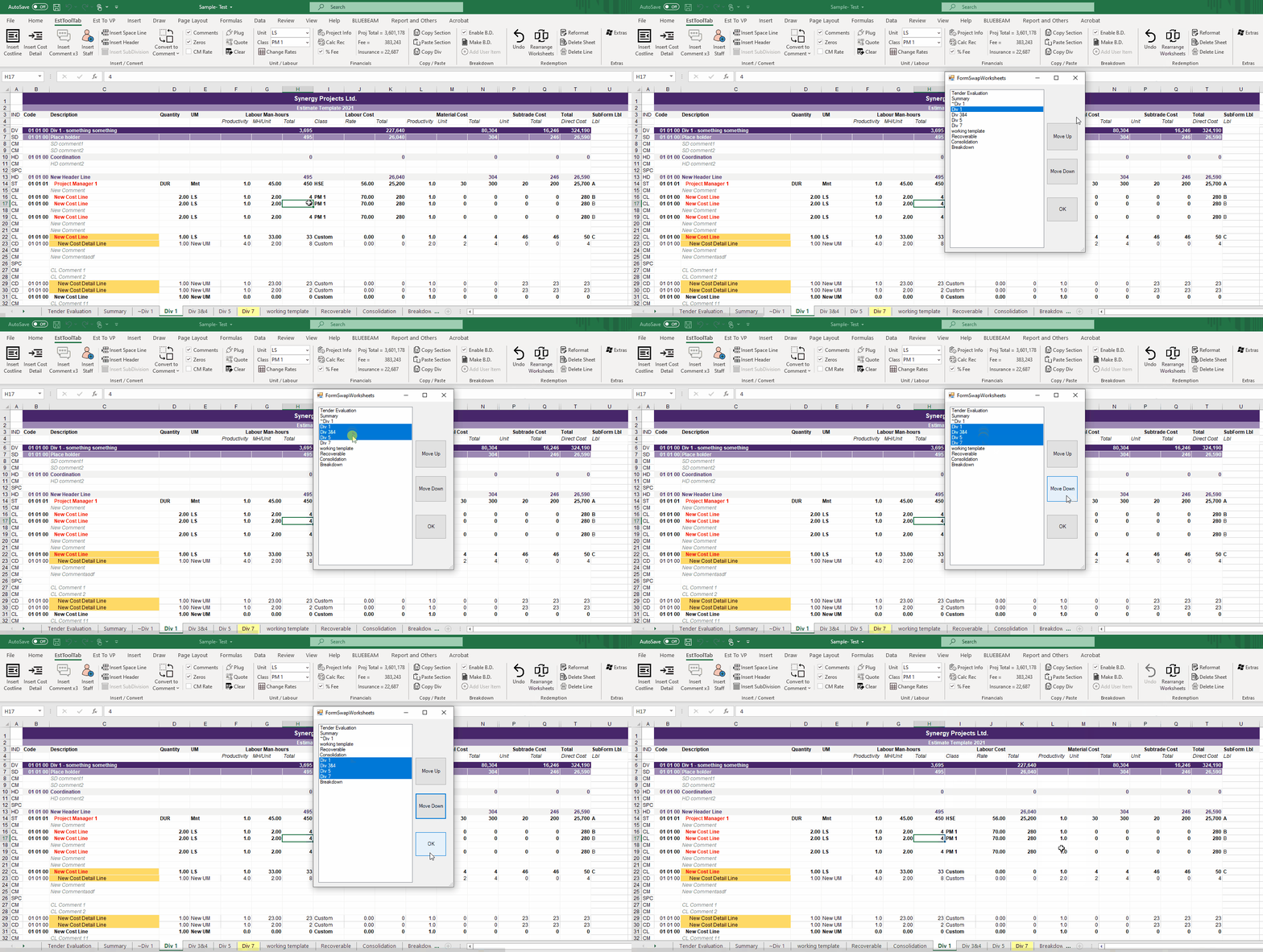
To Rearrange Worksheets:
- Click the Rearrange Worksheets button
- Select One worksheet (By clicking) or select multiple (by clicking and dragging) to move
- Press the Move Up or Down buttons to move the selected worksheets Up or Down
- When all moves are completed press the OK button and the workbook should reorganize
