Rearrange Worksheets
Jump to navigation
Jump to search
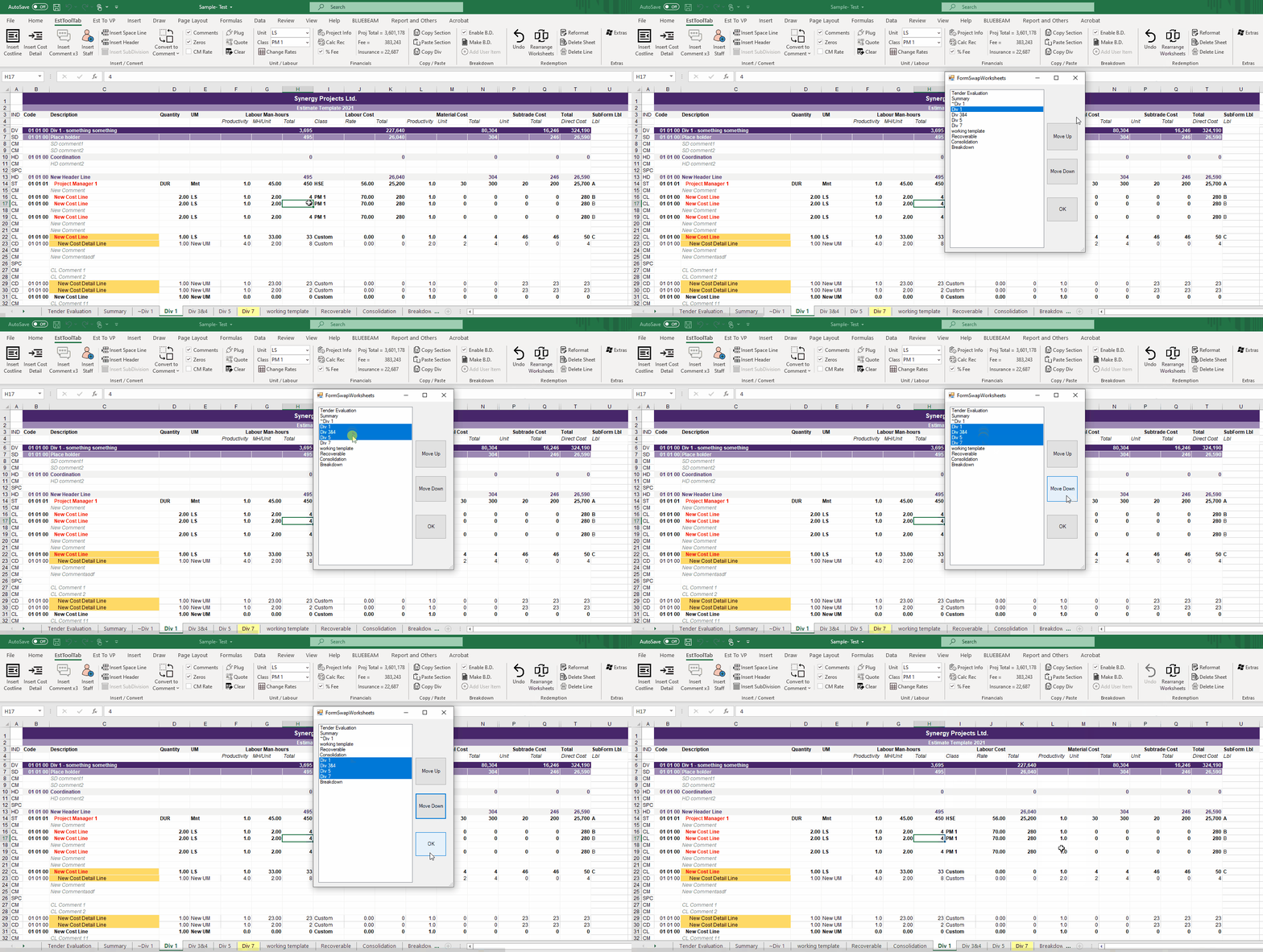
To Rearrange Worksheets:
- Click the Rearrange Worksheets button
- Select One worksheet (By clicking) or select multiple (by clicking and dragging) to move
- Press the Move Up or Down buttons to move the selected worksheets Up or Down
- When all moves are completed press the OK button and the workbook should reorganize
