Timecard - Requesting
Jump to navigation
Jump to search
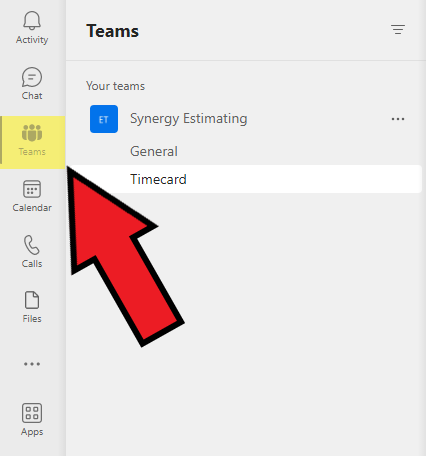
A timecard will automatically be sent to your MS teams at 3pm each day. It will be under the name "Power Automate" in the chat tab. To request a timecard, navigate to the teams tab on the left side of the MS teams window.

Next, click on "Your teams", click on the Synergy Estimating team and click on "Timecard"

Make sure that the "Post" tab is active at the tap of the page

Next, create a new conversation and type "TIMECARD". Note: "TIMECARD" must be fully capitalized.

Within the next couple of minutes, a timecard will be received. Please click here to learn more about submitting a timecard.